
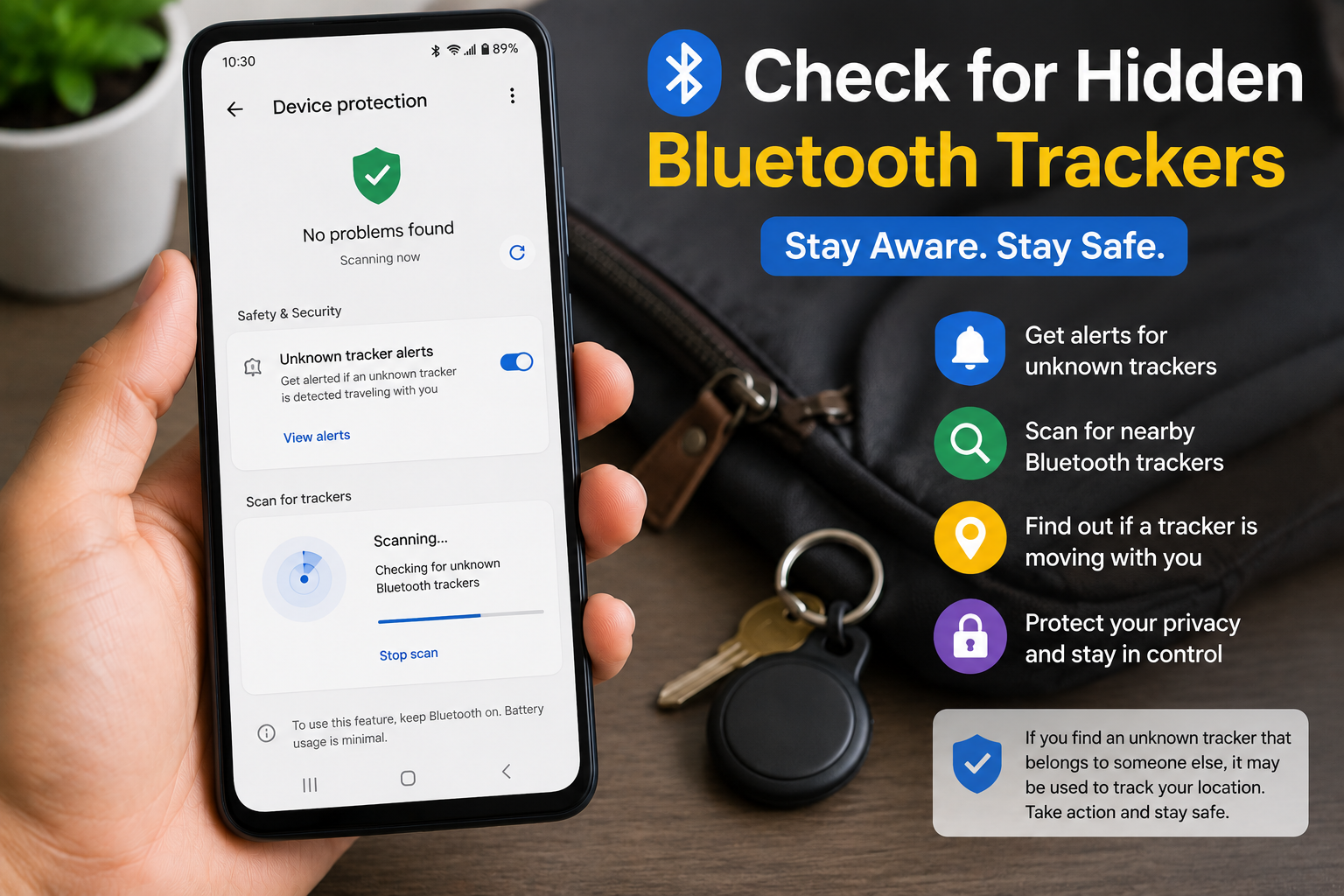
Bluetooth tracking devices like AirTags and other item finders are designed to help people locate their belongings. However, if used improperly, they can also be misused to track someone without their knowledge. If you’re wondering How to Find Hidden Bluetooth Trackers Near You, this guide explains how to check for unknown trackers, recognize warning signs, and improve your privacy.
In this article, you’ll learn how to find hidden Bluetooth trackers near you, use built-in Android and iPhone safety features, and take steps if you discover an unknown tracking device.
Important: Finding an unknown Bluetooth tracker nearby does not automatically mean someone is intentionally tracking you. Trackers may belong to nearby people or misplaced items. Investigate carefully before drawing conclusions.
Table of Contents
- What Are Bluetooth Trackers?
- Signs You May Be Near an Unknown Tracker
- How to Find Hidden Bluetooth Trackers Near You
- What to Do If You Find an Unknown Tracker
- Tips to Protect Yourself from Unwanted Tracking
- Frequently Asked Questions
- Final Thoughts
What Are Bluetooth Trackers?
Bluetooth trackers are small devices that help locate personal belongings using Bluetooth technology and, in some cases, crowdsourced location networks.
People commonly attach them to:
- Keys
- Wallets
- Bags
- Luggage
- Bicycles
- Pets
Popular Bluetooth trackers are intended for legitimate item tracking, but any tracking device should be used responsibly and with respect for privacy.
Signs You May Be Near an Unknown Tracker
Watch for these situations:
- Your phone notifies you about an unknown tracker.
- You repeatedly receive “tracker detected” alerts.
- The same unknown device appears over multiple locations.
- A Bluetooth tracker sound plays unexpectedly.
- You notice an unfamiliar tracker inside your belongings.
These signs warrant further checking but do not necessarily confirm malicious activity.
How to Find Hidden Bluetooth Trackers Near You
1. Enable Unknown Tracker Alerts
Many modern Android devices and iPhones include built-in alerts for unknown compatible Bluetooth trackers.
To improve your protection:
- Keep your phone updated.
- Enable Bluetooth.
- Allow security notifications if prompted.
These alerts can notify you if an unfamiliar compatible tracker appears to be moving with you over time.
2. Check for Tracker Notifications
If your phone displays a notification about an unknown tracker:
- Open the notification.
- Review available information.
- Follow the on-screen guidance provided by your device.
Don’t ignore repeated alerts.
3. Scan Nearby Bluetooth Devices
Open your phone’s Bluetooth settings.
Look for unfamiliar device names that remain nearby for an extended period.
Keep in mind that many nearby devices belong to other people and are harmless.
4. Listen for Tracker Sounds
Some Bluetooth trackers can emit sounds to help users locate them.
If your phone indicates a nearby tracker, carefully listen for any beeping or chirping that may help you locate it.
5. Inspect Your Belongings
Check places where a small tracker could be hidden, such as:
- Backpack
- Handbag
- Luggage
- Jacket pockets
- Car interior
- Bicycle accessories
Search carefully without damaging your belongings.
6. Keep Your Phone Updated
Install the latest Android or iPhone software updates.
Operating system updates often improve tracker detection and security features.
7. Review Bluetooth Permissions
Only grant Bluetooth permissions to trusted apps.
Open:
Settings → Privacy → Permissions → Nearby Devices (or Bluetooth permissions, depending on your device)
Remove unnecessary access.
8. Stay Aware in Public Places
If you travel frequently or use public transportation, remain aware of unexpected tracker alerts and review them if they appear consistently.
What to Do If You Find an Unknown Tracker
If you locate a tracker you don’t recognize:
Don’t Panic
The tracker could belong to someone nearby or may have been left behind accidentally.
Avoid Making Assumptions
Take time to determine whether the tracker is actually moving with you over multiple locations or simply nearby temporarily.
Document What You Find
If you believe the tracker may be important evidence, consider noting:
- When you found it
- Where you found it
- Photos of the device (if safe to do so)
Seek Help If Necessary
If you have reason to believe someone is unlawfully tracking you or you feel unsafe, contact your local law enforcement or appropriate authorities.
Tips to Protect Yourself from Unwanted Tracking
Follow these privacy tips:
- Keep Bluetooth tracker alerts enabled.
- Install phone security updates promptly.
- Review Bluetooth permissions regularly.
- Inspect bags after traveling.
- Be cautious with unfamiliar accessories.
- Use strong screen lock protection.
- Keep your Google or Apple account secure.
- Review your privacy settings periodically.
Common Mistakes to Avoid
Avoid these mistakes:
- Ignoring repeated tracker notifications.
- Disabling important security alerts.
- Installing unknown Bluetooth scanner apps from untrusted sources.
- Assuming every nearby tracker is targeting you.
- Forgetting to keep your phone updated.
Read More:
- How to Remove Spam Calls Automatically on Android
- How to Recover Permanently Deleted Photos on Android
- DigiLocker Ka Use Kaise Kare
- UPI Payment Fail Ho Jaye To Kya Kare
Frequently Asked Questions
Can Android detect unknown Bluetooth trackers?
Many newer Android devices include built-in features that can detect certain compatible unknown Bluetooth trackers. Availability may depend on your Android version and device manufacturer.
Can iPhone detect unknown trackers?
Yes. Recent versions of iOS include safety features that can notify users if an unknown compatible tracker appears to be traveling with them.
Will turning off Bluetooth stop tracking?
Turning off Bluetooth may affect detection features and other device functionality. It is generally better to keep your phone updated and use the built-in tracker alert features provided by your operating system.
Are Bluetooth trackers illegal?
Bluetooth trackers themselves are legal in many places when used appropriately to locate personal belongings. Using them to secretly track someone without consent may violate laws depending on your jurisdiction.
Final Thoughts
Learning How to Find Hidden Bluetooth Trackers Near You can help you stay aware of your surroundings and make better use of your phone’s built-in privacy features. By enabling tracker alerts, reviewing Bluetooth permissions, inspecting your belongings, and keeping your device updated, you can reduce the risk of unwanted tracking while avoiding unnecessary alarm.
If you ever believe you’re being tracked unlawfully or feel threatened, prioritize your safety and contact the appropriate authorities.


