How to Delete Duplicate Contacts on Android
How to Delete Duplicate Contacts on Android is a common question among Android users. Duplicate contacts can appear after syncing multiple Google accounts, restoring a backup, switching phones, or importing contacts from a SIM card. They make your contact list messy and can make it harder to find the right person.
In this guide, you’ll learn how to delete duplicate contacts on Android, merge repeated entries, and prevent duplicate contacts from appearing again.
Important: Before making changes, sync your contacts with your Google Account or create a backup to avoid accidental data loss.
Table of Contents
- Why Duplicate Contacts Appear
- How to Delete Duplicate Contacts on Android
- How to Merge Duplicate Contacts
- How to Prevent Duplicate Contacts
- Frequently Asked Questions
- Final Thoughts
Why Duplicate Contacts Appear
Duplicate contacts usually occur because of:
- Syncing multiple Google accounts
- Importing contacts from a SIM card
- Restoring a phone backup
- Using multiple contact apps
- Syncing WhatsApp or other messaging apps
- Saving the same number more than once
Fortunately, Android provides simple ways to remove them.
How to Delete Duplicate Contacts on Android
Step 1: Open the Google Contacts App
Open the Contacts app on your Android phone.
If your phone doesn’t have Google Contacts, you can install it from the Google Play Store.
Step 2: Tap Fix & Manage
At the bottom of the screen, tap:
Fix & Manage
Google Contacts includes tools for organizing and cleaning your contacts.
Step 3: Select Merge & Fix
Tap:
Merge & Fix
Google automatically scans your contacts for duplicates.
If duplicate entries are found, they will be displayed.
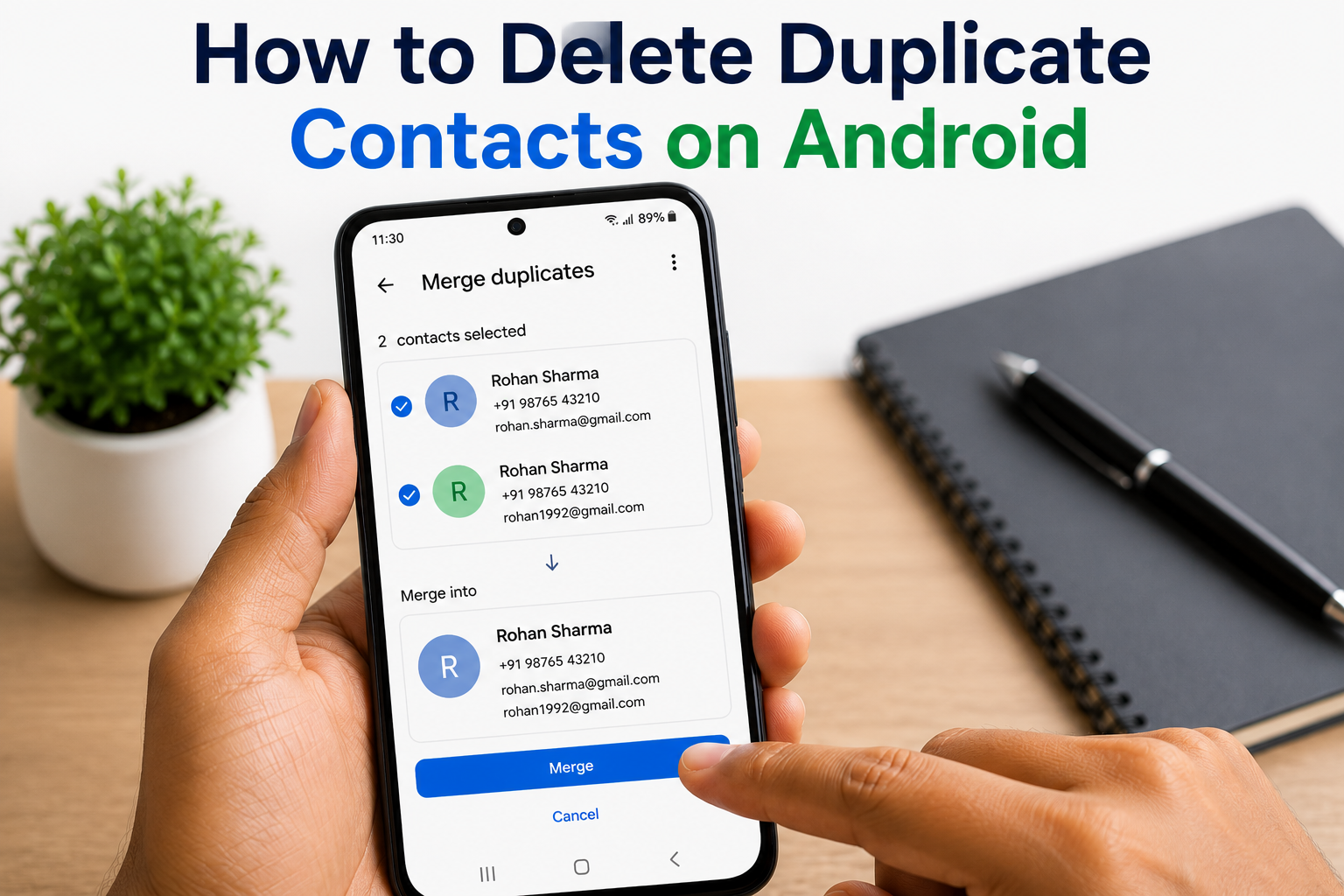
Step 4: Merge Duplicate Contacts
Tap:
Merge
Google will combine duplicate contacts while keeping important information such as:
- Phone numbers
- Email addresses
- Contact photos
- Notes
Step 5: Delete Duplicate Contacts Manually
If some duplicates aren’t detected automatically:
- Open the duplicate contact.
- Tap the three-dot menu.
- Select Delete.
Repeat for any remaining duplicate entries.
Step 6: Remove Duplicate Contacts from Multiple Accounts
Sometimes the same contact appears because it’s saved in different accounts.
Go to:
Contacts → Settings → Accounts
Review contacts stored in:
- Google Account
- SIM Card
- Device Storage
Remove unnecessary copies.
Step 7: Sync Your Contacts
After cleaning your contacts:
Go to:
Settings → Google → Manage Sync
Enable contact syncing to keep your updated contact list backed up.
How to Merge Duplicate Contacts Automatically
Google Contacts can automatically suggest duplicate contacts.
To use this feature:
- Open Google Contacts.
- Tap Fix & Manage.
- Select Merge & Fix.
- Review the suggested duplicates.
- Tap Merge All if the suggestions are correct.
This is the quickest way to delete duplicate contacts on Android.
How to Prevent Duplicate Contacts
Save Contacts to One Google Account
Using a single Google Account reduces the chances of duplicates.
Avoid Importing the Same Contacts Twice
Before importing contacts from a SIM card or backup, check whether they already exist.
Enable Contact Sync
Google automatically updates and syncs your contacts across devices.
Use Google Contacts Instead of Multiple Contact Apps
Using one contact management app makes it easier to avoid duplicate entries.
Review Contacts Regularly
Check your contacts every few months and merge duplicates if needed.
Common Mistakes to Avoid
Avoid these common mistakes:
- Deleting contacts without creating a backup.
- Saving contacts in multiple Google accounts.
- Importing the same contact list multiple times.
- Turning off contact sync.
- Ignoring duplicate contact suggestions.
Read More:
- Phone Ke Khone Par WhatsApp Account Aise Kar Sakte Hain Recover
- Mobile Number Se Naam Kaise Pata Kare
- Google Photos Backup Not Working? Here’s How to Fix It
Frequently Asked Questions
Why do duplicate contacts keep appearing?
Duplicate contacts usually appear because multiple accounts are syncing the same contacts or because the same contacts have been imported more than once.
Will merging contacts delete phone numbers?
No. Google Contacts combines duplicate entries and keeps available information such as phone numbers and email addresses whenever possible.
Can I recover deleted contacts?
Yes. If your contacts are synced with Google, recently deleted contacts may be recoverable from the Contacts Trash within Google’s supported recovery period.
Is Google Contacts free?
Yes. Google Contacts is free to use for anyone with a Google Account.
Final Thoughts
Knowing How to Delete Duplicate Contacts on Android helps keep your contact list organized and easy to manage. By using Google Contacts’ Merge & Fix feature, reviewing multiple accounts, and enabling contact sync, you can remove duplicate entries in just a few minutes.
Regularly organizing your contacts will make calling, messaging, and finding important numbers much easier.