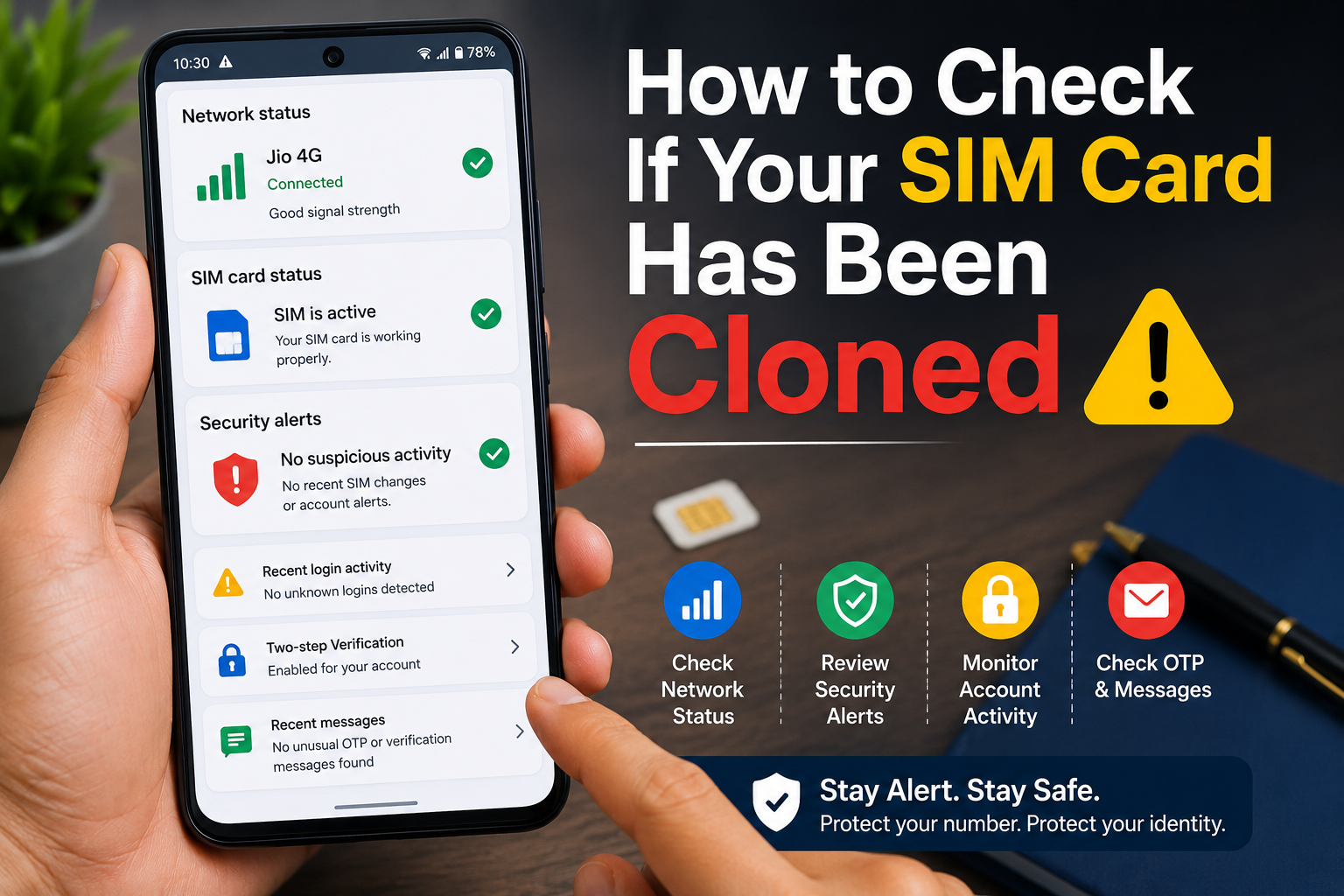
How to Check If Your SIM Card Has Been Cloned is an important skill in 2026 as SIM swap and SIM cloning scams continue to target mobile users. Criminals may attempt to gain control of your phone number to intercept OTPs, banking alerts, and verification codes. Recognizing the warning signs early can help you secure your accounts before serious damage occurs.
In this guide, you’ll learn how to check if your SIM card has been cloned, understand the common signs, and discover the steps you should take if you suspect unauthorized activity.
Important: Many issues like poor network coverage or a damaged SIM card can cause similar symptoms. Seeing one sign alone does not necessarily mean your SIM has been cloned. Look for multiple warning signs before taking action.
Table of Contents
- What Is SIM Card Cloning?
- Signs Your SIM Card May Have Been Cloned
- How to Check If Your SIM Card Has Been Cloned
- What to Do If You Suspect SIM Cloning
- Tips to Protect Your SIM Card
- Frequently Asked Questions
- Final Thoughts
What Is SIM Card Cloning?
SIM card cloning is the unauthorized duplication or misuse of a SIM card or mobile number. In practice, many fraud cases today involve SIM swap attacks, where criminals try to transfer your phone number to another SIM after deceiving the mobile carrier.
If successful, they may receive:
- OTP verification codes
- Banking alerts
- Login verification messages
- Password reset codes
This can put your online accounts at risk.
Signs Your SIM Card May Have Been Cloned
Watch for these warning signs:
- Your phone suddenly shows No Service or loses network unexpectedly.
- You stop receiving calls or SMS messages.
- You receive notifications about SIM changes that you didn’t request.
- Unknown OTP requests appear.
- Banking alerts arrive for transactions you didn’t make.
- Friends say your phone is unreachable.
- Your mobile carrier informs you of suspicious activity.
- You notice logins to accounts you don’t recognize.
How to Check If Your SIM Card Has Been Cloned
Step 1: Check Your Network Signal
If your phone suddenly loses network service while others nearby have normal coverage, restart your device and check again.
Persistent network loss without an obvious reason may warrant further investigation.
Step 2: Test Calls and SMS
Ask a trusted friend or family member to:
- Call your number.
- Send you a text message.
If calls don’t connect or SMS messages aren’t arriving despite good coverage, contact your mobile carrier.
Step 3: Review Banking and OTP Messages
Look for:
- OTPs you didn’t request.
- Password reset messages.
- Banking alerts for unfamiliar activity.
- Verification codes from unknown services.
These could indicate someone is attempting to access your accounts.
Step 4: Check Your Mobile Carrier App
Many telecom providers let you view:
- Active SIM information
- Recent account activity
- Service requests
- Profile changes
Review your account for anything unusual.
Step 5: Monitor Your Google and Email Accounts
If your phone number is linked to Gmail or other accounts, check for:
- Unknown login attempts.
- Security alerts.
- Password changes.
- New recovery methods.
Secure your accounts immediately if anything looks suspicious.
Step 6: Check Recent SIM Replacement Requests
If you receive messages about:
- SIM replacement
- eSIM activation
- SIM upgrade
- Number transfer
and you didn’t request them, contact your mobile operator immediately.
Step 7: Contact Your Mobile Carrier
If you suspect your SIM has been compromised:
- Call customer support using an official number.
- Verify your account.
- Ask if any SIM replacement or transfer requests have been processed.
Your carrier can confirm whether changes have been made.
Step 8: Change Important Passwords
If you believe your phone number may have been compromised:
Change passwords for:
- Gmail
- Banking apps
- UPI apps
- Social media accounts
- Shopping accounts
Enable Two-Factor Authentication wherever possible.
Step 9: Enable Extra Account Security
Strengthen your protection by:
- Using a strong screen lock.
- Turning on Two-Step Verification.
- Keeping recovery information updated.
- Reviewing connected devices regularly.
What to Do If You Suspect SIM Cloning
If you believe your SIM or mobile number has been compromised:
- Contact your mobile carrier immediately.
- Secure your Google Account and email.
- Change passwords for important accounts.
- Inform your bank if you notice suspicious financial activity.
- Monitor your accounts for unusual logins or transactions.
- Report fraud to the appropriate authorities if necessary.
Quick action can reduce the risk of unauthorized access.
Tips to Protect Your SIM Card
Use a SIM PIN
Many phones allow you to set a SIM PIN that adds an extra layer of protection.
Never Share OTPs
Banks and legitimate companies generally won’t ask you to share OTPs over calls or messages.
Watch for Phishing Messages
Avoid clicking suspicious links or sharing personal information with unknown callers.
Enable Two-Factor Authentication
Protect important accounts with Two-Factor Authentication or passkeys where available.
Keep Your Contact Information Updated
Ensure your recovery email and phone number are current so you can regain access if needed.
Common Mistakes to Avoid
Avoid these mistakes:
- Ignoring unexpected network loss.
- Sharing OTPs with anyone.
- Delaying password changes after suspicious activity.
- Clicking unknown links.
- Ignoring carrier notifications.
Read More:
- SIM Card Band Ho Jaye To Kya Kare
- 3 Simple Reasons You’re Still Single And How to Fix It
- 10 Simple Ways to Make Your Laptop Feel Faster Without Upgrading
- Mobile Storage Jaldi Full Kyu Ho Jati Hai? Space Bachane Ke Simple Tareeke
Frequently Asked Questions
Can someone really clone my SIM card?
Modern telecom networks have improved security, and many reported fraud cases today involve SIM swap attacks rather than traditional SIM cloning. However, both can result in unauthorized access to your phone number if successful.
How do I know if my SIM has been compromised?
Multiple signs—such as unexpected loss of service, missing calls or SMS messages, suspicious OTPs, or carrier notifications about SIM changes—may indicate a problem. Contact your mobile carrier to verify your account status.
Will changing my SIM card stop fraud?
Replacing your SIM alone may not secure your accounts. You should also change important passwords, review your security settings, and contact your carrier if you suspect unauthorized activity.
Should I contact my bank?
Yes. If you notice suspicious banking alerts or transactions, contact your bank immediately and follow their security guidance.
Final Thoughts
Knowing How to Check If Your SIM Card Has Been Cloned can help you respond quickly to suspicious activity and better protect your digital accounts. By monitoring your network service, reviewing OTPs and security alerts, and contacting your mobile carrier when something seems wrong, you can reduce the risk of fraud.
Regularly reviewing your account security, using Two-Factor Authentication, and staying alert to phishing attempts are simple habits that can make a big difference.