Google Search Not Working Properly? Try These Solutions
Google Search is one of the most commonly used tools on the internet. Whether you’re looking for information, directions, products, or answers to questions, a search issue can quickly become frustrating.
Sometimes Google Search may:
- Load slowly
- Show errors
- Fail to display results
- Stop responding
- Work inconsistently
Fortunately, most Google Search problems can be fixed without advanced technical knowledge.
Why Is Google Search Not Working?
Several factors can affect search functionality.
Common causes include:
- Internet connectivity problems
- Browser issues
- Corrupted cache files
- Extensions causing conflicts
- DNS issues
- Google service outages
Identifying the root cause helps resolve the issue faster.
Check Your Internet Connection
A weak or unstable connection is often responsible for search problems.
Verify:
- Wi-Fi connection
- Mobile data status
- Network speed
Try opening other websites to confirm connectivity.
Refresh the Search Page
Temporary loading issues can occur occasionally.
A simple page refresh may:
- Reload search results
- Restore connectivity
- Clear temporary glitches
This is often the fastest solution.
Restart Your Browser
Browsers sometimes develop temporary issues.
Restarting your browser can:
- Free memory
- Resolve software conflicts
- Refresh network processes
Many search-related problems disappear after a restart.
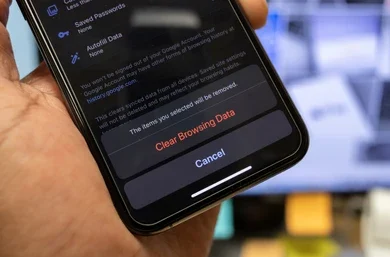
Clear Browser Cache and Cookies
Cached files can become outdated or corrupted.
Symptoms may include:
- Blank search pages
- Missing results
- Loading errors
Clearing cache often restores normal behavior.
Disable Browser Extensions
Some extensions interfere with search functionality.
Potential offenders include:
- Ad blockers
- Security extensions
- Script blockers
Temporarily disabling extensions can help identify conflicts.
Update Your Browser
Older browser versions may experience compatibility problems.
Benefits of updating include:
✔ Better security
✔ Improved performance
✔ Enhanced compatibility
Keeping browsers current helps avoid many issues.
Check Device Date and Time
Incorrect system time can occasionally affect secure website connections.
Verify that:
- Date is correct
- Time is correct
- Time zone is accurate
Try Incognito Mode
Incognito mode disables most extensions and uses temporary browsing data.
If Google Search works normally in Incognito Mode:
- Browser settings may be responsible.
- Extensions may be causing conflicts.
Restart Your Device
Many software-related issues can be resolved with a restart.
This refreshes:
- System resources
- Network settings
- Browser processes
Check for Google Service Outages
Occasionally, the issue may be on Google’s side.
Although rare, temporary outages can affect:
- Search results
- Search loading
- Related Google services
Waiting a short period may resolve the issue.
Prevent Future Search Problems
Helpful practices include:
✔ Keep browsers updated
✔ Clear cache periodically
✔ Avoid installing unnecessary extensions
✔ Use trusted security software
✔ Maintain a stable internet connection
Getting Google Search Working Again
Google Search issues are usually caused by browser settings, internet connectivity problems, or temporary software glitches rather than major technical failures.
By systematically checking your connection, browser, cache, and extensions, you can often restore normal search functionality within minutes.
Regular browser maintenance and software updates can help ensure a smooth search experience in the future.