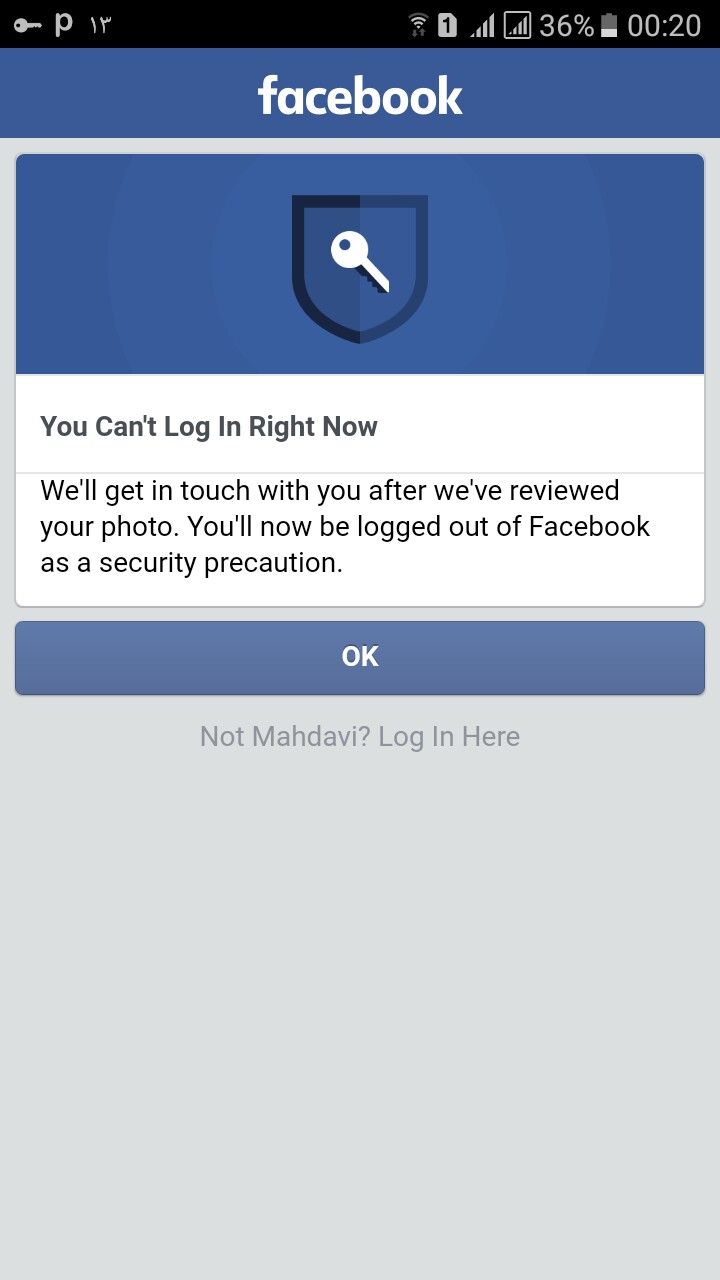
Getting locked out of your Facebook account can be stressful, especially if you use Facebook to stay connected with friends, family, business pages, or groups. Many users suddenly see messages saying their account has been locked, temporarily restricted, or requires identity verification.
The good news is that most locked Facebook accounts can be recovered if you follow the correct steps.
In this guide, you’ll learn why Facebook locks accounts, how to recover access, and how to prevent future account issues.
Why Does Facebook Lock Accounts?
Facebook may lock an account when it detects unusual activity or potential security risks.
Common reasons include:
- Suspicious login attempts
- Logging in from multiple locations
- Violating community standards
- Using fake information
- Excessive friend requests
- Unusual account activity
- Security concerns
In many cases, the lock is designed to protect the account owner.
Types of Facebook Account Restrictions
Facebook may apply different types of restrictions.
Temporary Lock
A temporary lock usually occurs after unusual login activity.
Users are often asked to:
- Verify identity
- Change password
- Confirm security information
Security Checkpoint
Facebook may request additional verification if it suspects unauthorized access.
This often includes:
- Email verification
- Mobile verification
- Identity confirmation
Disabled Account
A disabled account is more serious and may occur if Facebook believes policies were violated.
Recovery may require submitting an appeal.
First Step: Stay Calm
Many users panic and repeatedly attempt to log in.
Avoid:
❌ Guessing passwords repeatedly
❌ Creating multiple new accounts
❌ Using unofficial recovery tools
These actions can sometimes make the situation worse.
Check Your Email and Phone Number
Facebook often sends recovery instructions through:
- Registered email addresses
- Linked phone numbers
Review recent messages carefully.
You may already have instructions waiting.
Reset Your Password
If you suspect someone accessed your account:
- Reset your password immediately.
- Use a strong new password.
- Avoid reusing old passwords.
A password reset often resolves many security-related locks.
Verify Your Identity
Facebook may ask for verification.
Possible methods include:
- Security codes
- Trusted contacts
- Government-issued identification
Always follow Facebook’s official instructions.
Review Recent Login Activity
Once access is restored:
Check:
- Logged-in devices
- Login locations
- Browser sessions
Remove any devices you do not recognize.
Enable Two-Factor Authentication
Two-Factor Authentication (2FA) adds an extra layer of security.
Benefits include:
✔ Better account protection
✔ Reduced hacking risk
✔ Additional login verification
This is one of the most effective security features available.
Common Mistakes During Recovery
Avoid these mistakes:
Using Unofficial Recovery Services
Many websites claim they can unlock Facebook accounts.
These services are often scams.
Sharing Recovery Codes
Never share:
- Verification codes
- Security codes
- Password reset links
Even if someone claims to be Facebook support.
Ignoring Security Alerts
Security emails should always be reviewed carefully.
They may contain important recovery information.
How to Prevent Facebook Account Locks
Helpful habits include:
✔ Use your real identity
✔ Avoid suspicious activity
✔ Enable 2FA
✔ Keep contact information updated
✔ Use strong passwords
✔ Monitor account activity regularly
When Should You Contact Facebook Support?
Consider contacting Facebook support if:
- Recovery methods fail
- Verification codes never arrive
- Your account remains inaccessible
- Identity verification is repeatedly rejected
Official support channels remain the safest option.
Protecting Your Facebook Account Long-Term
Most Facebook account locks are temporary and can be resolved through official recovery procedures. By verifying your identity, securing your account, and enabling additional security features, you can regain access and reduce the likelihood of future issues.
Taking account security seriously today can save significant time and frustration in the future.