Skip to content
needtricks_logo

Need Tricks

Technology Tips and Tricks

  • Home
  • Internet
    • Ad Networks
      • Internet Browser
        • Firefox
        • Opera
        • Safari
      • Internet Explorer
    • Content
      • Chrome
    • Analytics
  • Computer
    • Desktop
    • Laptop
  • General
    • Household
  • Social Networks
    • Facebook
    • Google Plus
    • Twitter
    • Youtube
  • Operating System
    • Apple
    • Android
    • Windows
    • Bada
    • Blackberry
  • Technology
  • Home
  • Social Networks
  • WhatsApp Hacked? Recover It Fast

WhatsApp Hacked? Recover It Fast

Need Tricks
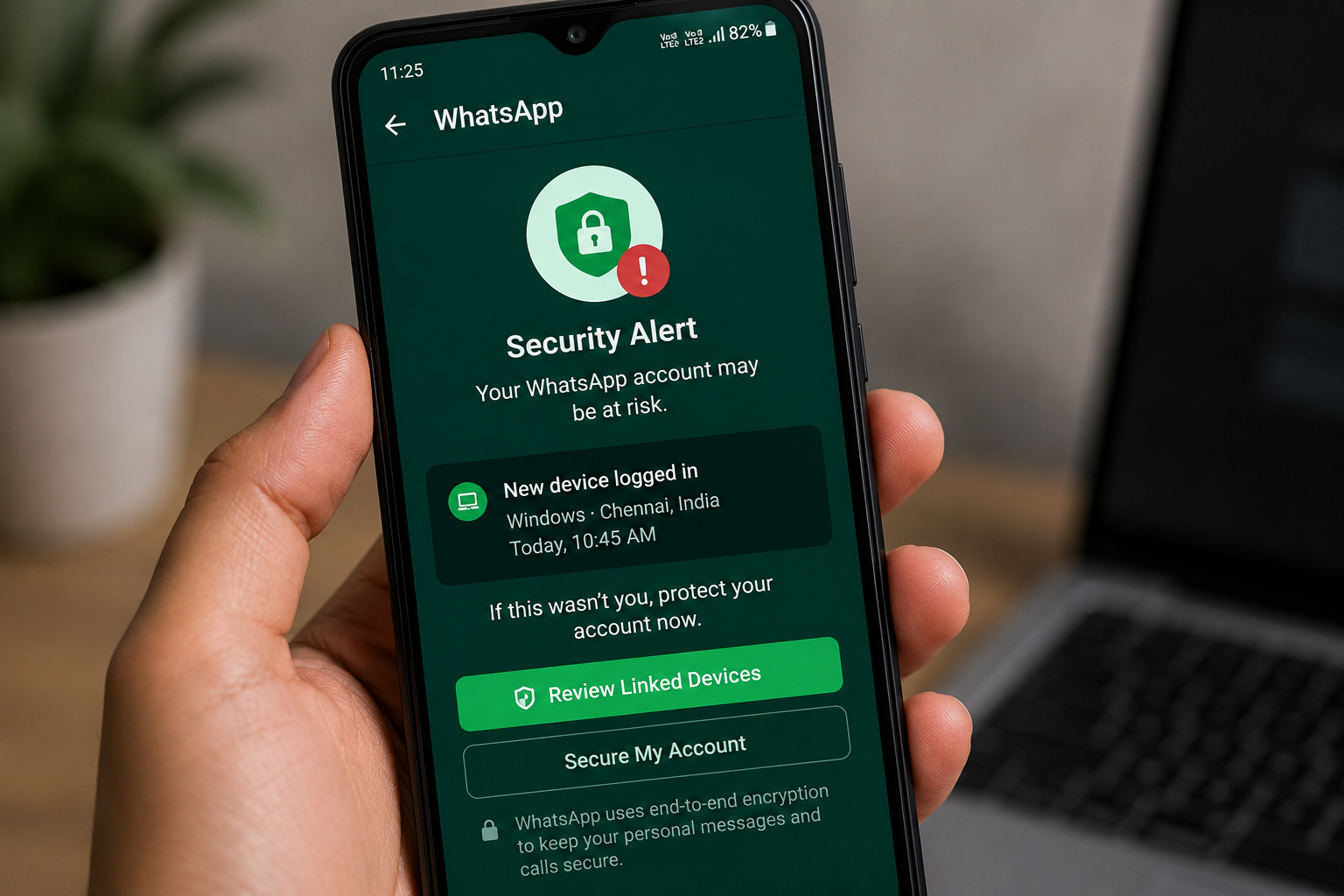
Smartphone showing suspicious activity that may indicate hacking

WhatsApp is one of the most widely used messaging apps in the world. Because it contains personal conversations, photos, contacts, and important information, it has become a common target for cybercriminals.

If your WhatsApp account gets hacked, scammers may gain access to your messages, impersonate you, and even attempt to scam your friends and family.

Knowing the warning signs and recovery steps can help you regain control quickly.


How Does WhatsApp Hacking Happen?

Most WhatsApp account compromises occur due to:

  • OTP scams
  • Phishing links
  • Fake support messages
  • Device theft
  • Unauthorized access

In many cases, users unknowingly share verification codes with scammers.


Signs Your WhatsApp May Be Hacked

Watch for unusual activity such as:

  • Messages you didn’t send
  • Unknown devices linked to your account
  • Profile changes you didn’t make
  • Friends receiving suspicious messages
  • Unexpected logouts

These signs may indicate unauthorized access.


Check Linked Devices

WhatsApp allows users to access accounts from multiple devices.

Review:

  • Active sessions
  • Linked devices
  • Recent activity

Log out of any unfamiliar device immediately.


Re-Verify Your Phone Number

The fastest recovery method is often re-registering your number.

Steps:

  1. Open WhatsApp.
  2. Enter your phone number.
  3. Request a verification code.
  4. Complete verification.

This usually logs out unauthorized users.


Enable Two-Step Verification

Two-step verification adds extra protection.

Benefits include:

✔ Additional security layer

✔ Better account protection

✔ Reduced risk of unauthorized access

This feature should be enabled by every WhatsApp user.


Inform Your Contacts

If your account was compromised:

Notify:

  • Friends
  • Family members
  • Colleagues

This helps prevent scammers from targeting people in your contact list.


Avoid Sharing OTP Codes

One of the most common scams involves requesting OTPs.

Remember:

❌ Never share verification codes.

❌ Never trust unknown callers requesting OTPs.

WhatsApp support will never ask for your OTP.


Update Your Security Practices

Helpful habits include:

✔ Enable two-step verification

✔ Use secure devices

✔ Avoid suspicious links

✔ Keep apps updated

✔ Review linked devices regularly


What If You Cannot Access Your Account?

If recovery fails:

  • Contact WhatsApp support
  • Verify ownership of your phone number
  • Follow official recovery procedures

Act quickly to reduce risks.


Protecting Your WhatsApp Account

WhatsApp hacking incidents often result from social engineering scams rather than technical attacks. Staying alert, protecting OTPs, and enabling two-step verification can greatly reduce your chances of becoming a victim.

Quick action and strong security habits help keep your account safe and your personal conversations private.
Share this:

  • Email a link to a friend (Opens in new window) Email
  • Share on Facebook (Opens in new window) Facebook
  • Share on Tumblr (Opens in new window) Tumblr
  • Print (Opens in new window) Print
  • Share on LinkedIn (Opens in new window) LinkedIn
  • Share on Reddit (Opens in new window) Reddit
  • Share on X (Opens in new window) X
  • Share on WhatsApp (Opens in new window) WhatsApp
  • Share on Pinterest (Opens in new window) Pinterest

Like this:

Like Loading…

Related

SecuritySocial NetworksWhatsApp
Tagged Can hacked WhatsApp be recovered?, How do I unhack my WhatsApp app?, How to hacked WhatsApp account back, How to logout from hacked WhatsApp, How to recover a hacked account?, What should be done if your WhatsApp is hacked?, WhatsApp hacked code, WhatsApp hacked message, WhatsApp hacked number, Whatsapp hacked recover it fast without email, Whatsapp hacked recover it fast without verification, WhatsApp hacked solution

Post navigation

⟵ UPI Failed but Money Deducted?
Has Your Phone Been Hacked ⟶

Related Posts

e mail popup warning window concept 53876 123821
Email Hacked? Step-by-Step Recovery Guide Before Permanent Damage

Email accounts often connect to: Banking Social media Cloud storage Work accounts A compromised email may create larger risks. Fast…

Share this:

  • Email a link to a friend (Opens in new window) Email
  • Share on Facebook (Opens in new window) Facebook
  • Share on Tumblr (Opens in new window) Tumblr
  • Print (Opens in new window) Print
  • Share on LinkedIn (Opens in new window) LinkedIn
  • Share on Reddit (Opens in new window) Reddit
  • Share on X (Opens in new window) X
  • Share on WhatsApp (Opens in new window) WhatsApp
  • Share on Pinterest (Opens in new window) Pinterest

Like this:

Like Loading…
cyber data security online concept illustration internet security information privacy protection 1150 37328
Are Password Managers Safe? What Beginners Should Know Before Using One

Passwords have become part of daily digital life. Email accounts. Social media. Shopping apps. Banking services. Streaming platforms. Cloud storage.…

Share this:

  • Email a link to a friend (Opens in new window) Email
  • Share on Facebook (Opens in new window) Facebook
  • Share on Tumblr (Opens in new window) Tumblr
  • Print (Opens in new window) Print
  • Share on LinkedIn (Opens in new window) LinkedIn
  • Share on Reddit (Opens in new window) Reddit
  • Share on X (Opens in new window) X
  • Share on WhatsApp (Opens in new window) WhatsApp
  • Share on Pinterest (Opens in new window) Pinterest

Like this:

Like Loading…
global data security personal data security cyber data security online concept illustration internet security information privacy protection 1150 37375
How to Secure Your Online Accounts in 2026 (Complete Advanced Guide)

In today’s fast-growing digital world, almost every aspect of our life is connected to the internet. From social media accounts…

Share this:

  • Email a link to a friend (Opens in new window) Email
  • Share on Facebook (Opens in new window) Facebook
  • Share on Tumblr (Opens in new window) Tumblr
  • Print (Opens in new window) Print
  • Share on LinkedIn (Opens in new window) LinkedIn
  • Share on Reddit (Opens in new window) Reddit
  • Share on X (Opens in new window) X
  • Share on WhatsApp (Opens in new window) WhatsApp
  • Share on Pinterest (Opens in new window) Pinterest

Like this:

Like Loading…

Some Additional Links

  • Home
  • Editorial team information
  • Corrections Policy
  • Ethics Policy
  • Fact checking Policy
  • About us
  • Submit your trick
  • Contact us
  • Terms and Conditions
  • Visitor Post
  • Privacy Policy

Popular Posts

  • Google account suspended notification displayed on a computer screen
    Google Account Suspended
  • Person scanning a fake QR code during an online payment scam
    QR Code Scam Alert
  • Smartphone showing suspicious activity that may indicate hacking
    Has Your Phone Been Hacked
  • Smartphone showing suspicious activity that may indicate hacking
    WhatsApp Hacked? Recover It Fast
  • UPI payment failed while money was deducted from bank account
    UPI Failed but Money Deducted?
  • User removing personal information from Google search results
    Remove Personal Info From Google
  • Mobile phone waiting for OTP verification message
    OTP Not Received? Fix It Fast
  • Fake job offer email displayed on a laptop screen
    How to Spot a Fake Job Offer
  • Fraudster pretending to be a police officer during a fake digital arrest scam
    What Is a Digital Arrest Scam
Follow Us
  • Facebook
  • Twitter
  • Instagram
  • YouTube
  • LinkedIn
  • Pinterest
  • Quora
Quick Links
  • Home
  • Editorial team information
  • Corrections Policy
  • Ethics Policy
  • Fact checking Policy
  • About us
  • Submit your trick
  • Contact us
  • Terms and Conditions
  • Visitor Post
  • Privacy Policy
Copyright © 2026 Need Tricks | Extensive News by Ascendoor | Powered by WordPress.
%d