UPI has become one of the most popular payment methods in India. Whether you’re paying at a shop, transferring money to friends, or shopping online, UPI offers fast and convenient transactions.
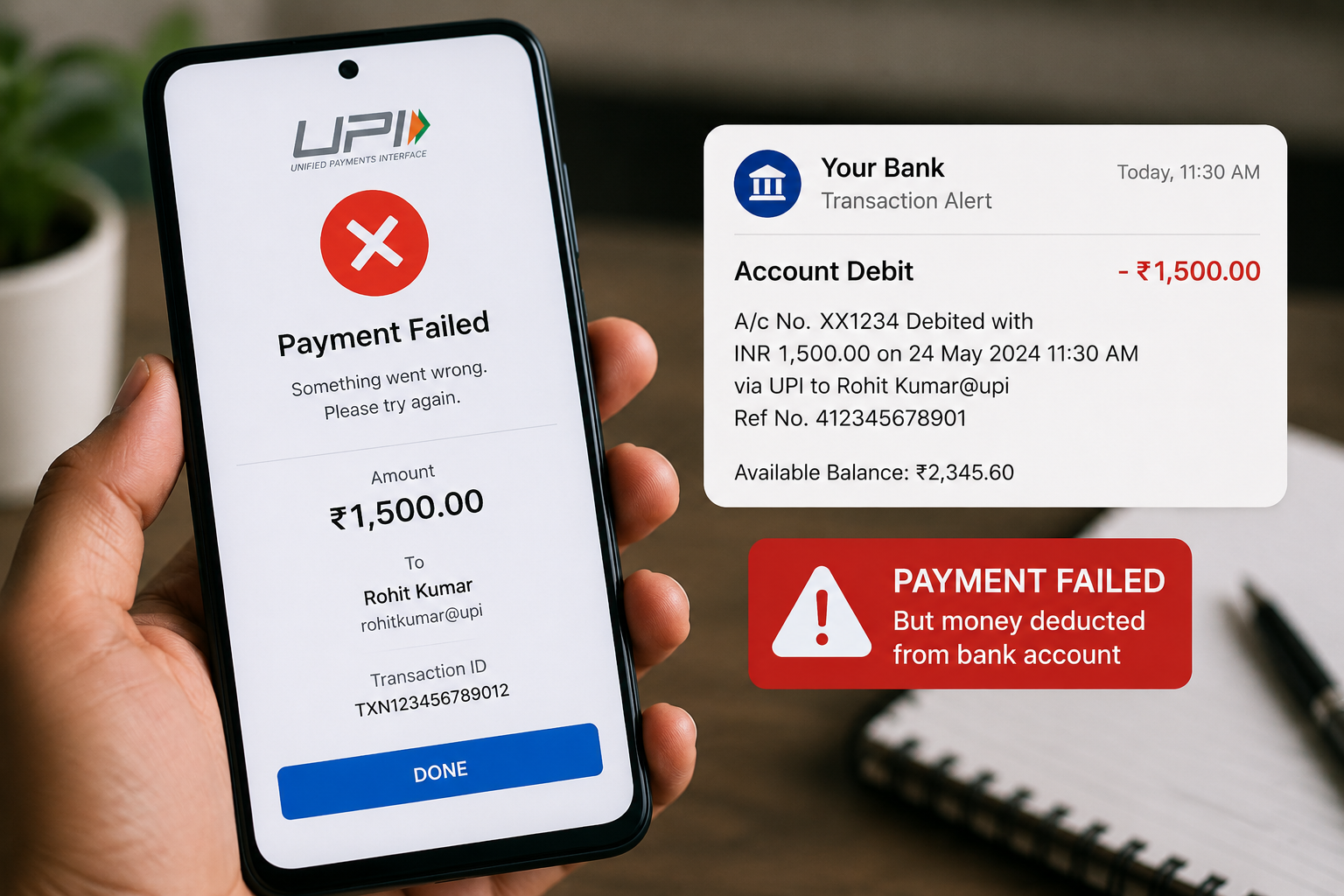
However, many users face a frustrating situation where the payment fails, but the money is still deducted from their bank account. This can create confusion and concern, especially when the amount is large.
The good news is that in most cases, the money is automatically refunded. This guide explains why it happens and what you should do next.
Why Does This Problem Occur?
A UPI transaction involves communication between:
- Your bank
- The recipient’s bank
- The UPI platform
If any part of this process is interrupted, the transaction may fail.
Common reasons include:
- Poor internet connection
- Bank server issues
- UPI app glitches
- Network congestion
- Technical maintenance
How to Check Transaction Status
Before panicking, verify the transaction status.
Open your UPI app and check:
- Transaction history
- Payment status
- Reference number
Possible statuses include:
- Successful
- Failed
- Pending
This information helps determine the next step.
Wait for Automatic Refund
Most failed UPI transactions are automatically reversed.
Typically, refunds are processed within:
- A few minutes
- Several hours
- Up to a few business days in some cases
The exact timeline depends on the bank and payment system.
Do Not Make Multiple Payments Immediately
Many users attempt another payment instantly.
This can lead to:
- Duplicate payments
- Additional confusion
- Difficulty tracking transactions
Always verify the first transaction before trying again.
Check Your Bank Statement
Your bank account provides the most accurate transaction record.
Review:
- Debit entries
- Refund entries
- Transaction references
Sometimes the refund has already been credited without a notification.
Contact Customer Support
If the refund does not arrive within the expected timeframe:
Contact:
- Your UPI app support team
- Your bank
Keep the following details ready:
- Transaction ID
- Date and time
- Amount
- Screenshot if available
Common UPI Apps Where This May Happen
This issue can occur on any UPI platform, including:
- Google Pay
- PhonePe
- Paytm
- BHIM
The problem is usually related to transaction processing rather than a specific app.
How to Avoid UPI Payment Failures
Helpful precautions include:
✔ Use a stable internet connection
✔ Keep the UPI app updated
✔ Verify account details before paying
✔ Avoid transactions during server outages
✔ Check transaction confirmation before leaving
What If the Merchant Did Not Receive Payment?
If the merchant confirms that payment was not received:
- Check transaction status.
- Wait for processing updates.
- Monitor your bank account.
- Contact support if necessary.
Avoid making assumptions based only on deduction messages.
Keeping Your UPI Transactions Safe
UPI payment failures can be stressful, but most cases are temporary and resolved automatically. By checking transaction status, monitoring refunds, and contacting support when needed, users can handle these situations calmly and effectively.
Understanding how UPI transactions work helps reduce confusion and ensures a smoother digital payment experience.