
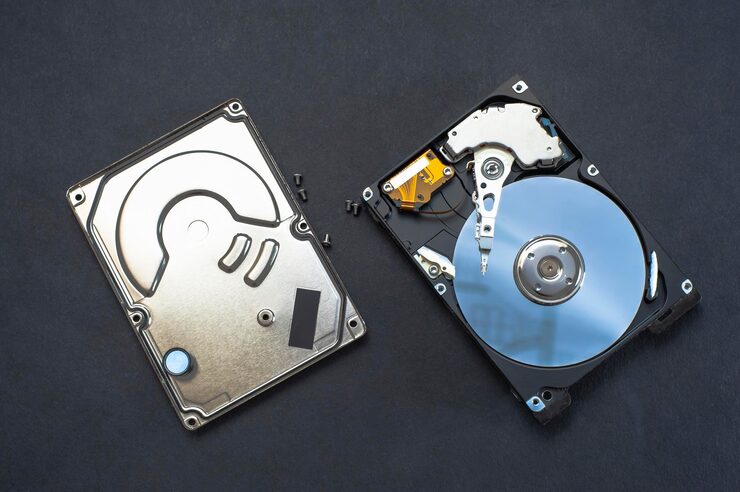
When buying a laptop or upgrading storage, people often encounter two terms:
SSD
and
HDD
For beginners these names sound technical.
Questions usually follow:
“Which one is faster?”
“Does storage type affect performance?”
“Is bigger storage always better?”
The answer surprises many users.
Storage is not only about capacity.
Speed matters too.
Understanding basic differences helps before buying devices or upgrades.
First: What Is HDD?
HDD stands for Hard Disk Drive.
This technology has existed for many years.
Many older laptops and computers use it.
Generally, HDDs focus on storing information.
Examples:
Documents
Photos
Videos
Software
Files
What Is SSD?
SSD means Solid State Drive.
Compared with older storage approaches, SSDs often provide faster access to information.
Users may notice differences during:
Startup
App loading
File transfers
General responsiveness
Why People Notice Faster Boot Times With SSDs
Imagine turning on a computer.
Some systems start quickly.
Others take much longer.
Storage technology can influence this experience.
That explains why users upgrading storage sometimes notice significant changes.
Bigger Storage Does Not Always Mean Faster Performance
Common misunderstanding:
More GB = better speed
Not necessarily.
Capacity and performance are different discussions.
Which Is Better for Average Users?
The answer depends on:
Budget
Usage
Needs
Work patterns
People prioritise different things.
Why Beginners Often Feel Confused During Purchases
Product pages include:
Specifications
Numbers
Abbreviations
Marketing terms
Confusion becomes normal.
Understanding basics improves buying decisions.
Final Thoughts
SSD and HDD discussions are ultimately about balancing storage, speed, and needs.
Learning simple differences helps users choose technology more confidently instead of relying only on unfamiliar specifications.


