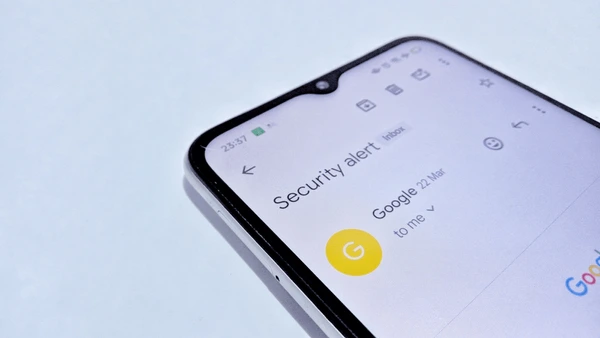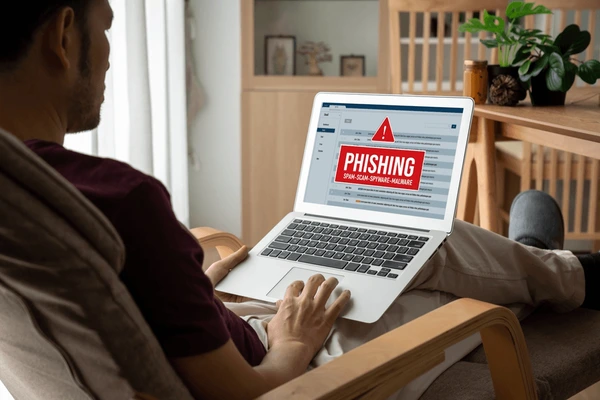
Phishing emails have become more sophisticated in 2026. Thanks to Artificial Intelligence (AI), cybercriminals can now create emails that look almost identical to messages from banks, online shopping websites, government agencies, and even your workplace. A single click on a fake email can lead to stolen passwords, hacked accounts, identity theft, or financial loss.
If you’re searching for How to Spot Phishing Emails in 2026, this guide will teach you how phishing attacks work, the warning signs to look for, and the best practices to keep your personal information safe.
Important: Never trust an email simply because it contains a company logo or uses professional language. Always verify the sender and avoid clicking suspicious links or downloading unexpected attachments.
Table of Contents
- What Is a Phishing Email?
- Why Phishing Emails Are More Dangerous in 2026
- 10 Signs to Spot a Phishing Email
- What to Do If You Receive a Phishing Email
- Tips to Protect Yourself from Phishing Attacks
- Phishing Email vs Genuine Email
- Frequently Asked Questions
- Final Thoughts
What Is a Phishing Email?
A phishing email is a fraudulent message designed to trick you into revealing sensitive information such as:
- Login usernames
- Passwords
- OTPs (One-Time Passwords)
- Bank account details
- Credit or debit card information
- Personal identity details
These emails often pretend to come from trusted organizations such as:
- Banks
- Microsoft
- Amazon
- PayPal
- Government departments
- Courier services
- Social media platforms
The goal is to make you click a malicious link, download harmful software, or share confidential information.
Why Phishing Emails Are More Dangerous in 2026
Cybercriminals are now using AI tools to generate convincing emails with:
- Fewer spelling mistakes
- Personalized greetings
- Professional formatting
- Fake invoices
- Realistic company branding
- AI-generated writing styles
Because these emails appear more authentic than ever, users must pay closer attention before responding.
10 Signs to Spot a Phishing Email
1. The Sender’s Email Address Looks Suspicious
Always check the full email address instead of just the display name.
Example:
- Genuine: support@company.com
- Fake: support-company@gmail.com
A slight change in spelling or domain name can indicate fraud.
2. The Email Creates Urgency
Phishing emails often pressure you into acting immediately.
Common examples include:
- “Your account will be suspended today.”
- “Verify your account within 24 hours.”
- “Immediate payment required.”
- “Security alert! Login now.”
Scammers want you to react before thinking carefully.
3. Suspicious Links
Before clicking any link:
- Hover your mouse over it (on desktop) to preview the destination.
- Check whether the website address matches the official domain.
- Avoid shortened or unfamiliar URLs.
Never log in through links from unexpected emails.
4. Unexpected Attachments
Be cautious if an email includes unexpected attachments such as:
- ZIP files
- EXE files
- Word documents asking you to enable macros
- Unknown PDFs
These files may contain malware.
5. Requests for Personal Information
Legitimate companies generally do not ask you to share:
- Passwords
- OTPs
- Debit card PINs
- CVV numbers
- Security codes
Treat any email requesting this information as suspicious.
6. Poor Grammar or Unusual Language
Although AI has improved phishing emails, some scams still contain:
- Grammar mistakes
- Strange wording
- Awkward sentences
- Unusual formatting
If something feels off, verify the sender before responding.
7. Generic Greetings
Many phishing emails begin with greetings such as:
- Dear Customer
- Dear User
- Valued Member
While genuine companies sometimes use generic greetings, unexpected messages using them deserve extra scrutiny.
8. Offers That Sound Too Good to Be True
Scammers often promise:
- Free prizes
- Lottery winnings
- Huge discounts
- Gift vouchers
- Unexpected refunds
If you never entered a contest or requested the offer, verify it before clicking anything.
9. Fake Security Warnings
Examples include:
- “Your Gmail account has been hacked.”
- “Payment failed.”
- “Your bank account is locked.”
Instead of clicking the email link, visit the company’s official website or app directly.
10. The Email Asks You to Ignore Normal Security Procedures
Be suspicious if you’re told:
- “Don’t contact customer support.”
- “Complete this payment secretly.”
- “Respond immediately.”
Legitimate organizations encourage customers to verify suspicious activity through official channels.
What to Do If You Receive a Phishing Email
If you suspect an email is fake:
- Do not click any links.
- Do not download attachments.
- Do not reply to the sender.
- Mark the email as spam or phishing.
- Delete the message after reporting it.
- Change your password immediately if you accidentally entered your credentials.
- Enable Two-Factor Authentication on affected accounts.
- Monitor your financial accounts for unusual activity if banking information may have been exposed.
Tips to Protect Yourself from Phishing Attacks
Follow these cybersecurity best practices:
- Enable Two-Factor Authentication (2FA).
- Use strong and unique passwords.
- Keep your browser and operating system updated.
- Install software updates promptly.
- Verify website addresses before logging in.
- Avoid public Wi-Fi for sensitive transactions unless using trusted protections.
- Keep antivirus software updated.
- Be cautious with unexpected emails and attachments.
- Regularly review account login activity.
Phishing Email vs Genuine Email
| Feature | Genuine Email | Phishing Email |
|---|---|---|
| Sender address | Official company domain | Misspelled or fake domain |
| Links | Official website | Suspicious or shortened URL |
| Requests | General account notifications | Passwords, OTPs, banking details |
| Language | Professional and consistent | May include urgency or inconsistencies |
| Attachments | Expected and relevant | Unexpected or suspicious |
Also Read :
- How to Recover Instagram Without Email or Phone Number: 2026 Guide
- What Happens If Your Email Account Gets Hacked? First Things You Should Do
- Leveraging AI for Efficient Email Management
Frequently Asked Questions
Can phishing emails look exactly like real emails?
Yes. Modern phishing emails can closely resemble legitimate emails by copying company logos, branding, and formatting. Always verify the sender’s email address and links.
Can AI create phishing emails?
Yes. AI tools can generate realistic phishing emails with fewer errors and more personalized content, making them harder to identify.
What happens if I click a phishing link?
Depending on the attack, the link may direct you to a fake login page, attempt to install malware, or collect personal information. If you clicked a suspicious link, avoid entering any information and scan your device if appropriate.
Should I report phishing emails?
Yes. Report phishing emails through your email provider’s reporting feature and notify the affected company if appropriate.
Final Thoughts
Knowing How to Spot Phishing Emails in 2026 is essential for protecting your personal information and online accounts. As AI makes phishing attacks more convincing, users must rely on careful verification rather than appearance alone.
Before clicking links, downloading attachments, or sharing personal information, take a moment to confirm the sender’s identity. A few extra seconds of caution can help prevent identity theft, financial loss, and compromised accounts.