If you notice unfamiliar emails, password reset notifications, or security alerts, you may wonder how to check if someone logged into your Gmail. Fortunately, Google provides built-in security tools that let you review recent login activity, connected devices, and account security.
In this guide, you’ll learn how to check if someone logged into your Gmail, identify suspicious login attempts, and secure your account before any unauthorized access causes problems.
Important: Receiving a login notification doesn’t always mean your account has been hacked. It could be you signing in on a new device, using a VPN, or traveling. Always verify the details before taking action.
Table of Contents
- Why You Should Check Gmail Login Activity
- Signs Someone May Have Logged Into Your Gmail
- How to Check If Someone Logged Into Your Gmail
- How to Remove Unknown Devices
- Change Your Gmail Password
- Enable Two-Step Verification
- Check Third-Party App Access
- Tips to Keep Your Gmail Secure
- Frequently Asked Questions
- Final Thoughts
Why You Should Check Gmail Login Activity
Your Gmail account often protects access to other important services, including:
- Google Drive
- Google Photos
- YouTube
- Google Pay
- Android backups
- Password Manager
Learning how to check if someone logged into your Gmail helps you detect suspicious activity early and protect your personal information.
Signs Someone May Have Logged Into Your Gmail
Watch for these warning signs:
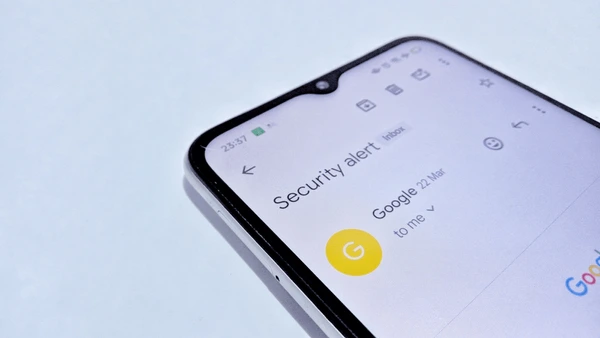
- Security alerts from Google
- Unknown devices in your account
- Password changed without your permission
- Emails marked as read that you never opened
- Password reset emails you didn’t request
- Missing emails
- New forwarding rules you didn’t create
Any one of these signs doesn’t necessarily mean your account is compromised, but it’s worth investigating.
1. Check Your Google Account Security
The quickest way to review account activity is through your Google Account.
Steps:
- Open your Google Account.
- Go to Security.
- Scroll to Your Devices.
- Select Manage all devices.
You’ll see devices currently signed in or recently used with your account.
Review:
- Device type
- Approximate location
- Last active time
If you don’t recognize a device, sign it out immediately.
2. Review Recent Security Activity
Google records important account events.
Check:
Security → Recent Security Activity
Look for:
- Password changes
- New device logins
- Recovery information updates
- Suspicious login attempts
If you notice activity you didn’t perform, secure your account immediately.
3. Check Gmail Login Alerts
Google may send security alerts when:
- Someone signs in from a new device
- Login occurs from an unusual location
- Suspicious activity is detected
Always read these alerts carefully and confirm whether the activity was yours.
4. Review Connected Devices
Sometimes old devices remain connected to your account.
Remove devices that:
- You no longer own
- Were lost or stolen
- Look unfamiliar
This helps reduce unauthorized access.
5. Check Third-Party App Access
Some apps can access parts of your Google account.
Review connected apps and remove those you:
- No longer use
- Don’t recognize
- Didn’t authorize
Grant access only to trusted applications.
6. Change Your Gmail Password
If you suspect someone accessed your account:
- Change your password immediately.
- Use a unique password that isn’t used elsewhere.
- Avoid simple passwords like:
- 123456
- password
- your birth date
A password manager can help you create and store strong passwords securely.
7. Enable Two-Step Verification
Two-Step Verification (2SV) adds an extra layer of protection.
After entering your password, you’ll be asked to verify your identity using an additional method, such as:
- Authenticator app
- Security key
- Prompt on a trusted device
- Backup codes
Enabling 2SV makes unauthorized access much more difficult.
8. Check Gmail Filters and Forwarding
Hackers sometimes create forwarding rules to secretly receive copies of your emails.
Review:
- Email forwarding
- Filters
- Auto-forward rules
Remove anything you didn’t configure.
9. Review Account Recovery Information
Ensure your recovery details are correct.
Verify:
- Recovery email
- Recovery phone number
Update them if they’ve changed or if you notice unauthorized modifications.
What to Do If You Find an Unknown Login
Take these steps immediately:
✔ Sign out of the unknown device.
✔ Change your Gmail password.
✔ Enable Two-Step Verification.
✔ Review recovery information.
✔ Remove suspicious third-party apps.
✔ Check security alerts.
✔ Scan your computer or phone for malware.
Acting quickly can help prevent further unauthorized access.
Tips to Keep Your Gmail Secure
Follow these security best practices:
✔ Use a strong, unique password.
✔ Enable Two-Step Verification.
✔ Never share verification codes.
✔ Avoid clicking suspicious email links.
✔ Keep your browser updated.
✔ Review account activity regularly.
✔ Sign out from public computers.
✔ Monitor security notifications from Google.
Frequently Asked Questions (FAQs)
Can I see who logged into my Gmail?
Google provides information about devices that have accessed your account, including the device type, approximate location, and recent activity. It does not reveal the identity of another person using the device.
Does Google notify me of suspicious logins?
Yes. Google may send alerts if it detects sign-ins from unfamiliar devices, locations, or unusual activity.
Can someone access my Gmail without my password?
Unauthorized access can occur if your password is stolen through phishing, malware, reused passwords, or if your recovery information is compromised. Enabling Two-Step Verification greatly reduces this risk.
Should I change my password after an unknown login?
Yes. If you notice a login you don’t recognize, change your password immediately and review your account’s security settings.
Also Read :
- Google Makes Gemini AI Free for Gmail and Docs How to Get Started
- Master Gmail Safe Listing A Simple Guide to Never Missing Important Emails
-
How to Check If Someone Logged Into Your Gmail: 9 Proven Ways
Final Thoughts
Knowing how to check if someone logged into your Gmail is an essential part of protecting your online identity. By regularly reviewing your devices, monitoring security activity, enabling Two-Step Verification, and removing unknown access, you can keep your Gmail account much more secure.
Good account security starts with simple habits. Check your login activity regularly, use strong passwords, and stay alert to unusual notifications.