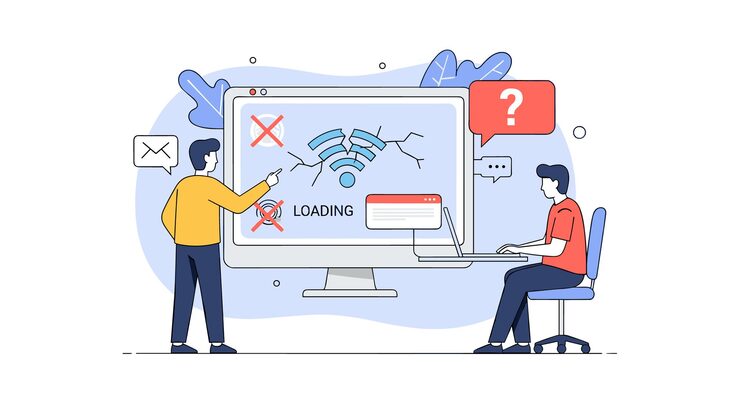
A common experience for internet users is noticing that the same website loads quickly on one device but feels slow on another. You might open a website on your laptop and see it appear almost instantly, while the same page takes several extra seconds on your phone. Sometimes even two people sitting in the same room can have completely different browsing experiences.
Many people immediately blame their internet connection when a website loads slowly, but internet speed is only one part of the story. The truth is that website loading speed depends on several factors working together. Device performance, browser settings, network quality, website optimization, and even background apps can all influence how quickly a webpage appears.
Understanding these factors can help users improve their browsing experience and better understand why loading times vary from device to device.
Website Loading Speed Is More Than Just Internet Speed
When people think about website speed, they usually think about Wi-Fi or mobile data.
While internet speed is important, it is not the only factor.
A website must complete several steps before it appears on your screen:
- Connect to the server
- Download files
- Process images
- Run scripts
- Display content
Each step requires resources from both the website and the device being used.
This means that two devices on the same internet connection can still experience different loading times.
Device Hardware Makes a Big Difference
One major factor is the hardware inside the device.
Modern websites contain:
- High-resolution images
- Videos
- Animations
- Interactive elements
Older devices may struggle to process these elements efficiently.
Newer devices typically have:
- Faster processors
- More memory (RAM)
- Better graphics performance
These improvements allow webpages to load and render more quickly.
A high-speed internet connection cannot fully compensate for weak hardware.
The Role of RAM in Website Performance
RAM helps devices manage active tasks.
When multiple tabs and apps are open, RAM usage increases.
If a device has limited RAM, the browser may struggle to load complex websites smoothly.
Common signs include:
- Delayed page loading
- Browser freezing
- Slower scrolling
- Unresponsive tabs
Devices with more RAM generally handle multitasking better.
Browsers Don’t All Perform the Same
The browser itself also influences speed.
Popular browsers include:
- Google Chrome
- Microsoft Edge
- Mozilla Firefox
- Safari
Each browser uses different technologies to process webpages.
Some browsers may perform better on certain devices than others.
Regular browser updates often improve performance and security.
Using an outdated browser can sometimes lead to slower website loading.
Website Optimization Matters
Not all websites are built equally.
Some websites are carefully optimized for speed.
Others contain unnecessary code, oversized images, or excessive scripts.
Well-optimized websites typically:
- Compress images
- Minimize code
- Use caching
- Reduce unnecessary requests
These improvements help websites load faster across different devices.
Background Applications Can Slow Things Down
Many people forget that their devices are constantly performing tasks in the background.
Examples include:
- Software updates
- Cloud synchronization
- Antivirus scans
- Messaging apps
These activities consume system resources.
When too many processes run simultaneously, website performance may suffer.
Internet Connection Quality Still Matters
Although internet speed isn’t the only factor, it remains important.
A fast and stable connection helps websites download content quickly.
Several factors influence connection quality:
- Signal strength
- Network congestion
- Router performance
- Mobile coverage
Even a powerful device can experience slow loading if the connection is unstable.
Why Some Websites Feel Faster Than Others
You may notice that certain websites consistently load faster.
This often happens because those websites invest heavily in performance optimization.
Large companies understand that faster websites create better user experiences.
A delay of just a few seconds can cause visitors to leave.
As a result, website speed has become an important priority for many businesses.
Simple Ways to Improve Website Loading Speed
Users can often improve performance with a few simple steps:
✔ Keep browsers updated
✔ Clear cache periodically
✔ Close unnecessary tabs
✔ Restart devices regularly
✔ Use a reliable internet connection
✔ Remove unnecessary browser extensions
These habits can make browsing smoother and faster.
Understanding the Difference Between Speed and Performance
Website speed depends on a combination of factors rather than a single cause.
A fast internet connection helps, but device hardware, browser efficiency, website design, and background activity all play important roles.
The next time a website feels slow, remember that the issue may not be the internet alone. Modern browsing is the result of many technologies working together, and each one contributes to the overall experience.