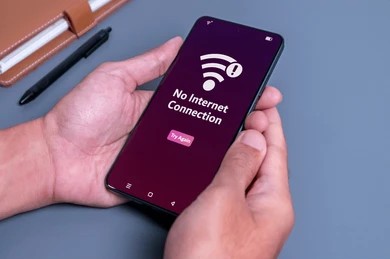
Mobile data allows us to browse websites, use social media, stream videos, and access online services without WiFi. When mobile data suddenly stops working, it can be extremely frustrating.
The problem may appear as:
- No internet access
- Slow browsing
- Apps not loading
- Network errors
Fortunately, most mobile data issues can be fixed with basic troubleshooting.
Why Is Mobile Data Not Working?
Common causes include:
- Weak network coverage
- Incorrect settings
- SIM card issues
- Data limits reached
- Software glitches
- Carrier outages
Finding the cause is the first step toward fixing the problem.
Check Signal Strength
Poor network coverage can interrupt mobile internet.
Verify:
- Signal bars
- Coverage availability
- Indoor reception quality
Moving to a better location may help.
Toggle Airplane Mode
Turning Airplane Mode on and off can refresh network connections.
Benefits include:
✔ Reconnecting to cellular networks
✔ Refreshing signal acquisition
✔ Solving temporary network glitches
Restart Your Phone
A restart refreshes:
- Mobile network settings
- Background services
- System processes
Many connectivity issues disappear after rebooting.
Verify Mobile Data Is Enabled
Sometimes mobile data may be disabled accidentally.
Check:
- Data settings
- Quick settings panel
- Carrier preferences
Check Data Limits
Some devices automatically disable data when limits are reached.
Verify:
- Daily limits
- Monthly limits
- Data saver settings
Inspect the SIM Card
SIM card problems may affect connectivity.
Possible issues include:
- Improper placement
- Dust accumulation
- Damaged SIM card
Reseating the SIM often helps.
Update Network Settings
Software updates may improve:
✔ Connectivity
✔ Stability
✔ Network compatibility
Keeping software updated is important.
Contact Your Carrier
If troubleshooting fails, the issue may be carrier-related.
Possible reasons:
- Service outages
- Account restrictions
- Network maintenance
Your provider can verify network status.
Prevent Future Mobile Data Issues
Helpful habits include:
✔ Keep software updated
✔ Monitor data usage
✔ Protect SIM cards
✔ Restart devices occasionally
Staying Connected Anywhere
Mobile data issues are often caused by network coverage problems, incorrect settings, SIM card issues, or temporary software glitches. By following the troubleshooting methods above, most users can restore connectivity quickly and continue using online services without interruption.
Regular device maintenance and monitoring can help prevent future mobile internet problems.