Skip to content
needtricks_logo

Need Tricks

Technology Tips and Tricks

  • Home
  • Internet
    • Ad Networks
      • Internet Browser
        • Firefox
        • Opera
        • Safari
      • Internet Explorer
    • Content
      • Chrome
    • Analytics
  • Computer
    • Desktop
    • Laptop
  • General
    • Household
  • Social Networks
    • Facebook
    • Google Plus
    • Twitter
    • Youtube
  • Operating System
    • Apple
    • Android
    • Windows
    • Bada
    • Blackberry
  • Technology
  • Home
  • Cybersecurity
  • Google Account Suspended

Google Account Suspended

Need Tricks
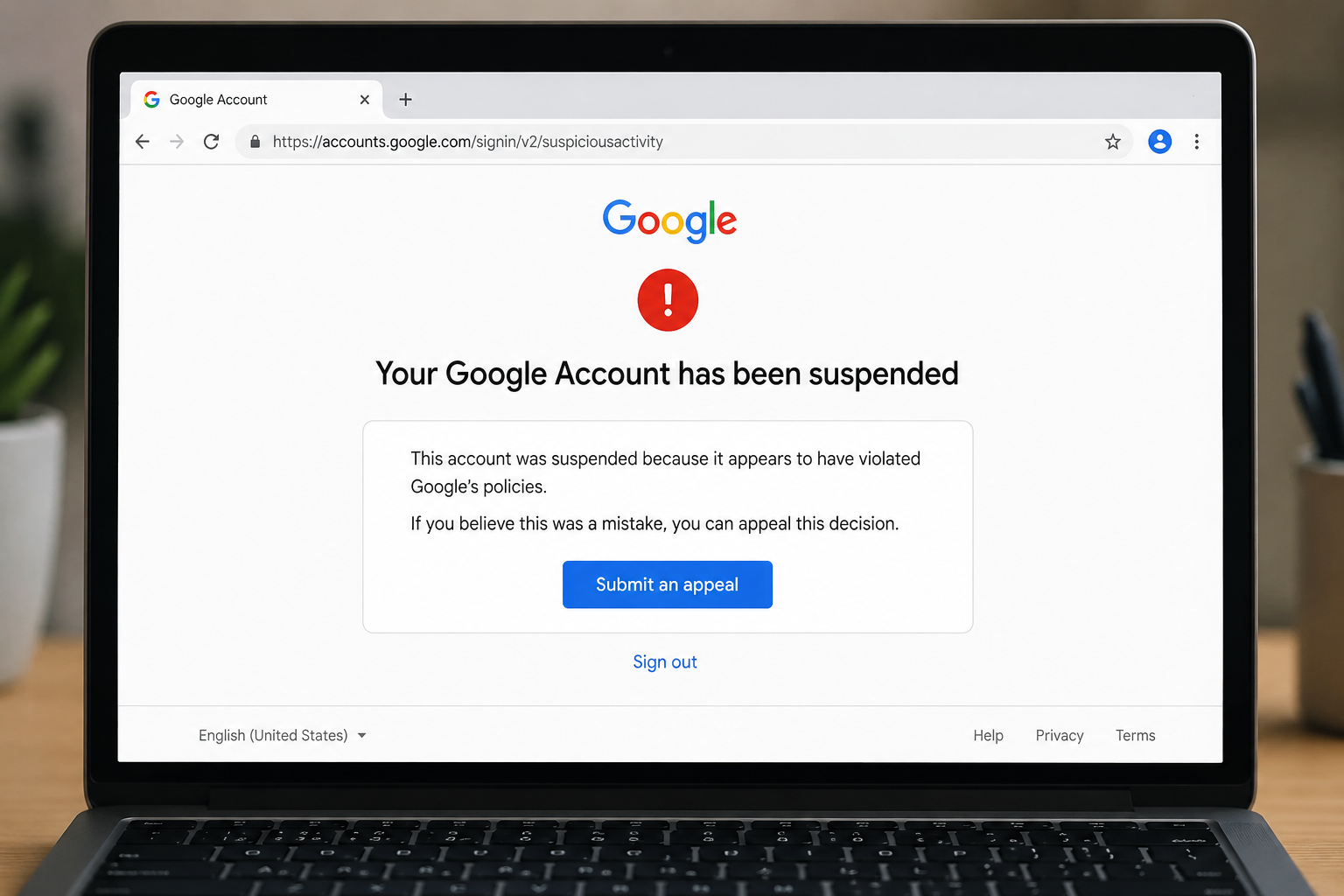
Google account suspended notification displayed on a computer screen

A Google account gives access to important services such as Gmail, Google Drive, Google Photos, YouTube, and Google Maps. Losing access to your account can be stressful, especially if it contains important emails, documents, and personal data.

Sometimes users discover that their Google account has been suspended, restricted, or temporarily disabled. Understanding the reasons behind account suspension and the available recovery options can help restore access faster.


Why Does Google Suspend Accounts?

Google may suspend accounts to protect users and maintain platform security.

Common reasons include:

  • Suspicious activity
  • Policy violations
  • Unusual login attempts
  • Spam-like behavior
  • Security concerns

In many cases, the suspension is temporary.


Signs Your Account Is Suspended

You may notice:

  • Login restrictions
  • Security warnings
  • Access denied messages
  • Disabled services

Google typically provides information about the issue during login attempts.


Check Google’s Notification Message

The first step is to read the message carefully.

The notification may explain:

  • Why the account was restricted
  • Whether recovery is possible
  • Additional verification requirements

Understanding the reason helps determine the next step.


Verify Your Identity

Google may ask users to verify ownership.

Verification methods may include:

  • Recovery email
  • Recovery phone number
  • Security questions
  • Previous passwords

Providing accurate information improves recovery chances.


Secure Your Account

If suspicious activity triggered the suspension:

Take steps to:

✔ Change passwords

✔ Enable two-factor authentication

✔ Review security settings

✔ Remove unauthorized devices

These actions strengthen account security.


Review Recent Account Activity

Check for:

  • Unknown logins
  • New devices
  • Unrecognized activity

Unexpected activity may indicate unauthorized access.


Avoid Multiple Failed Login Attempts

Repeated unsuccessful login attempts may create additional security concerns.

If you forget your password:

  • Use recovery options
  • Follow Google’s instructions
  • Avoid guessing repeatedly

Keep Recovery Information Updated

Recovery details are extremely important.

Ensure that:

  • Recovery email addresses are current
  • Phone numbers are active
  • Security information is accurate

This makes future recovery much easier.


Common Mistakes to Avoid

Avoid:

❌ Sharing passwords

❌ Ignoring security alerts

❌ Using weak passwords

❌ Reusing passwords across services

These habits increase security risks.


Prevent Future Account Problems

Helpful practices include:

✔ Enable two-step verification

✔ Use strong passwords

✔ Monitor account activity

✔ Keep recovery information updated

✔ Avoid suspicious links


Protecting Access to Your Google Account

A suspended Google account can interrupt access to many important services, but most issues can be resolved through proper verification and recovery steps. Understanding Google’s security measures and maintaining strong account protection can help prevent future disruptions.

Regular security reviews and updated recovery information provide the best defense against account-related issues.


Share this:

  • Email a link to a friend (Opens in new window) Email
  • Share on Facebook (Opens in new window) Facebook
  • Share on Tumblr (Opens in new window) Tumblr
  • Print (Opens in new window) Print
  • Share on LinkedIn (Opens in new window) LinkedIn
  • Share on Reddit (Opens in new window) Reddit
  • Share on X (Opens in new window) X
  • Share on WhatsApp (Opens in new window) WhatsApp
  • Share on Pinterest (Opens in new window) Pinterest

Like this:

Like Loading…

Related

CybersecurityData & Security
Tagged Gmail account appeal, Gmail disabled account recovery, Google account appeal sample, Google account disabled email, Google account disabled fill out this form, Google account disabled fill out this form without phone number, Request to restore your Google account, Your account is disabled Google account help

Post navigation

⟵ QR Code Scam Alert

Related Posts

hacker abstract digital background with elements binary code computer programshacker abstract digital background with elements binary code computer programs 1029473 105306
How Hackers Guess Weak Passwords Faster Than You Think

If someone asked you how secure your online accounts are, you would probably say: “I have a password, so my…

Share this:

  • Email a link to a friend (Opens in new window) Email
  • Share on Facebook (Opens in new window) Facebook
  • Share on Tumblr (Opens in new window) Tumblr
  • Print (Opens in new window) Print
  • Share on LinkedIn (Opens in new window) LinkedIn
  • Share on Reddit (Opens in new window) Reddit
  • Share on X (Opens in new window) X
  • Share on WhatsApp (Opens in new window) WhatsApp
  • Share on Pinterest (Opens in new window) Pinterest

Like this:

Like Loading…
cyber data security online concept illustration internet security information privacy protection 1150 37328
Are Password Managers Safe? What Beginners Should Know Before Using One

Passwords have become part of daily digital life. Email accounts. Social media. Shopping apps. Banking services. Streaming platforms. Cloud storage.…

Share this:

  • Email a link to a friend (Opens in new window) Email
  • Share on Facebook (Opens in new window) Facebook
  • Share on Tumblr (Opens in new window) Tumblr
  • Print (Opens in new window) Print
  • Share on LinkedIn (Opens in new window) LinkedIn
  • Share on Reddit (Opens in new window) Reddit
  • Share on X (Opens in new window) X
  • Share on WhatsApp (Opens in new window) WhatsApp
  • Share on Pinterest (Opens in new window) Pinterest

Like this:

Like Loading…
hacker stealing credit card number 175634 40238
Common Online Scams That Still Fool People in 2026

The internet has made life easier in many ways. People shop online, transfer money, apply for jobs, book tickets, talk…

Share this:

  • Email a link to a friend (Opens in new window) Email
  • Share on Facebook (Opens in new window) Facebook
  • Share on Tumblr (Opens in new window) Tumblr
  • Print (Opens in new window) Print
  • Share on LinkedIn (Opens in new window) LinkedIn
  • Share on Reddit (Opens in new window) Reddit
  • Share on X (Opens in new window) X
  • Share on WhatsApp (Opens in new window) WhatsApp
  • Share on Pinterest (Opens in new window) Pinterest

Like this:

Like Loading…

Some Additional Links

  • Home
  • Editorial team information
  • Corrections Policy
  • Ethics Policy
  • Fact checking Policy
  • About us
  • Submit your trick
  • Contact us
  • Terms and Conditions
  • Visitor Post
  • Privacy Policy

Popular Posts

  • Google account suspended notification displayed on a computer screen
    Google Account Suspended
  • Person scanning a fake QR code during an online payment scam
    QR Code Scam Alert
  • Smartphone showing suspicious activity that may indicate hacking
    Has Your Phone Been Hacked
  • Smartphone showing suspicious activity that may indicate hacking
    WhatsApp Hacked? Recover It Fast
  • UPI payment failed while money was deducted from bank account
    UPI Failed but Money Deducted?
  • User removing personal information from Google search results
    Remove Personal Info From Google
  • Mobile phone waiting for OTP verification message
    OTP Not Received? Fix It Fast
  • Fake job offer email displayed on a laptop screen
    How to Spot a Fake Job Offer
  • Fraudster pretending to be a police officer during a fake digital arrest scam
    What Is a Digital Arrest Scam
Follow Us
  • Facebook
  • Twitter
  • Instagram
  • YouTube
  • LinkedIn
  • Pinterest
  • Quora
Quick Links
  • Home
  • Editorial team information
  • Corrections Policy
  • Ethics Policy
  • Fact checking Policy
  • About us
  • Submit your trick
  • Contact us
  • Terms and Conditions
  • Visitor Post
  • Privacy Policy
Copyright © 2026 Need Tricks | Extensive News by Ascendoor | Powered by WordPress.
%d