Skip to content
needtricks_logo

Need Tricks

Technology Tips and Tricks

  • Home
  • Internet
    • Ad Networks
      • Internet Browser
        • Firefox
        • Opera
        • Safari
      • Internet Explorer
    • Content
      • Chrome
    • Analytics
  • Computer
    • Desktop
    • Laptop
  • General
    • Household
  • Social Networks
    • Facebook
    • Google Plus
    • Twitter
    • Youtube
  • Operating System
    • Apple
    • Android
    • Windows
    • Bada
    • Blackberry
  • Technology
  • Home
  • Digital Trust
  • UPI Payment Failed but Money Deducted

UPI Payment Failed but Money Deducted

Need Tricks
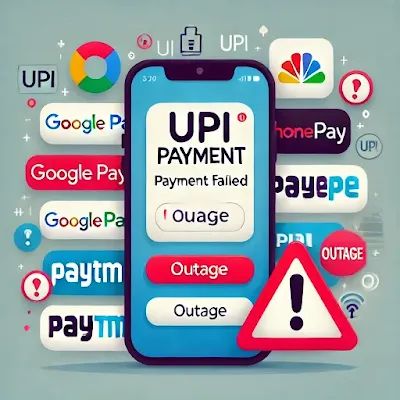
UPI payment failed notification displayed on a smartphone screen

UPI Payment Failed But Money Debited? Complete Solution Guide

Digital payments have made everyday transactions incredibly convenient. Whether you’re paying for groceries, shopping online, booking tickets, or transferring money to friends, UPI has become one of the most popular payment methods.

However, one situation that frustrates many users is when a UPI payment fails but the money is still deducted from the bank account. It can be stressful, especially when you’re unsure whether the amount will be refunded or permanently lost.

The good news is that in most cases, the money is not lost. Failed UPI transactions are usually resolved automatically, but understanding the process can help you take the right action and avoid unnecessary panic.


Why Does a UPI Payment Fail?

Several reasons can cause a UPI transaction to fail.

Common causes include:

  • Poor internet connection
  • Bank server issues
  • UPI app downtime
  • Technical errors
  • Incorrect recipient details
  • High transaction volume

Even when the payment fails, the bank may temporarily debit the amount before the transaction status is finalized.


What Happens to the Deducted Money?

When a transaction fails, the payment system attempts to reverse the transaction.

In most cases:

  • The money is automatically refunded.
  • No manual action is required.
  • The refund is credited back to the original account.

The process usually depends on the bank and payment provider involved.


How Long Does the Refund Take?

Most failed UPI payments are reversed within a few hours.

However, some refunds may take longer.

Typical timelines include:

  • A few minutes
  • A few hours
  • Up to 3 working days

In rare cases, certain banks may take slightly longer to process the refund.


Check the Transaction Status First

Before contacting support, verify the transaction status.

Open your UPI app and check whether the payment shows:

  • Successful
  • Failed
  • Pending

The status helps determine the next step.

If the transaction is marked as failed, a refund is usually already in progress.


What If the Payment Is Marked as Pending?

Pending transactions require patience.

The banking system is still processing the payment.

During this period:

  • Do not repeat the payment immediately.
  • Wait for the final status update.
  • Monitor your bank account.

Repeating the payment too quickly can sometimes result in duplicate payments.


How to Raise a Complaint

If the refund does not arrive within the expected timeframe, you can file a complaint.

Most UPI apps provide a built-in dispute resolution option.

You can typically:

  1. Open transaction history.
  2. Select the failed transaction.
  3. Choose “Raise Complaint” or “Report Issue.”
  4. Submit the request.

Keep the transaction reference number for future communication.


When Should You Contact Your Bank?

If the issue remains unresolved after the official waiting period, contact your bank.

Provide:

  • Transaction ID
  • Date and time
  • Amount deducted
  • Screenshot of transaction status

This information helps customer support investigate the issue faster.


Common Mistakes Users Make

Many people make avoidable mistakes after a failed payment.

Avoid:

❌ Making multiple payment attempts immediately

❌ Ignoring transaction status updates

❌ Deleting payment confirmation messages

❌ Forgetting transaction reference numbers

Staying organized makes dispute resolution easier.


How to Reduce the Chances of Failed UPI Payments

Although technical failures can’t always be prevented, some practices can help.

Use a Stable Internet Connection

Weak connectivity can interrupt transactions.

Keep Your UPI App Updated

Updates often include bug fixes and performance improvements.

Avoid Peak Banking Hours

Server congestion occasionally affects transaction success rates.

Verify Recipient Details Carefully

Double-check information before sending money.


Most Failed Payments Are Resolved Automatically

Seeing money deducted after a failed UPI payment can be alarming, but the majority of cases are resolved without major issues.

Understanding how refunds work, monitoring transaction status, and knowing when to contact support can help you handle the situation confidently.

The next time a UPI payment fails, remember that patience and proper tracking are usually all that’s needed to recover the deducted amount.


Share this:

  • Email a link to a friend (Opens in new window) Email
  • Share on Facebook (Opens in new window) Facebook
  • Share on Tumblr (Opens in new window) Tumblr
  • Print (Opens in new window) Print
  • Share on LinkedIn (Opens in new window) LinkedIn
  • Share on Reddit (Opens in new window) Reddit
  • Share on X (Opens in new window) X
  • Share on WhatsApp (Opens in new window) WhatsApp
  • Share on Pinterest (Opens in new window) Pinterest

Like this:

Like Loading…

Related

Digital Trust
Tagged BHIM UPI complaint, BHIM UPI transaction failed but amount debited, How long does it take to reverse a failed UPI payment?, NPCI UPI refund complaint, Transaction failed but money deducted from account SBI, Upi payment failed but money deducted in hindi, Upi payment failed but money deducted reddit, Upi payment failed but money deducted sbi, What happens if an UPI transaction failed but money debited?, Why did the transaction fail but the money was deducted?, Will I get my money back after a failed transaction?, Wrong UPI transaction complaint

Post navigation

⟵ How to Reduce WhatsApp Storage Without Deleting Important Photos
Wrong UPI Payment Sent ⟶

Related Posts

banking application security smartphone with bank card shield with fingerprint authentication verification identity confirmation biometrics flat vector illustration 118813 28194
UPI Safety Tips: How to Avoid Payment Frauds in India 2026

Digital payments have become part of everyday life in India. People use UPI for: Shopping Bills Transfers Online purchases While…

Share this:

  • Email a link to a friend (Opens in new window) Email
  • Share on Facebook (Opens in new window) Facebook
  • Share on Tumblr (Opens in new window) Tumblr
  • Print (Opens in new window) Print
  • Share on LinkedIn (Opens in new window) LinkedIn
  • Share on Reddit (Opens in new window) Reddit
  • Share on X (Opens in new window) X
  • Share on WhatsApp (Opens in new window) WhatsApp
  • Share on Pinterest (Opens in new window) Pinterest

Like this:

Like Loading…
Securing Your Lost or Stolen Mobile
Securing Your Lost or Stolen Mobile: Making It Unusable and Protecting Your Data

Losing a mobile phone or having it stolen is a stressful experience, but taking proactive steps (Securing Your Lost or…

Share this:

  • Email a link to a friend (Opens in new window) Email
  • Share on Facebook (Opens in new window) Facebook
  • Share on Tumblr (Opens in new window) Tumblr
  • Print (Opens in new window) Print
  • Share on LinkedIn (Opens in new window) LinkedIn
  • Share on Reddit (Opens in new window) Reddit
  • Share on X (Opens in new window) X
  • Share on WhatsApp (Opens in new window) WhatsApp
  • Share on Pinterest (Opens in new window) Pinterest

Like this:

Like Loading…
Setting Up a Personal VPN for Enhanced Privacy

Setting Up a Personal VPN for Enhanced Privacy”. In today’s digital world, online privacy and security are more important than…

Share this:

  • Email a link to a friend (Opens in new window) Email
  • Share on Facebook (Opens in new window) Facebook
  • Share on Tumblr (Opens in new window) Tumblr
  • Print (Opens in new window) Print
  • Share on LinkedIn (Opens in new window) LinkedIn
  • Share on Reddit (Opens in new window) Reddit
  • Share on X (Opens in new window) X
  • Share on WhatsApp (Opens in new window) WhatsApp
  • Share on Pinterest (Opens in new window) Pinterest

Like this:

Like Loading…

Some Additional Links

  • Home
  • Editorial team information
  • Corrections Policy
  • Ethics Policy
  • Fact checking Policy
  • About us
  • Submit your trick
  • Contact us
  • Terms and Conditions
  • Visitor Post
  • Privacy Policy

Popular Posts

  • YouTube creator dashboard monetization
    How Do You Qualify for YouTube Monetization in 2026?
  • Google Discover feed
    How to Get Your Website on Google Discover
  • AdSense Approval, Rank Math SEO, Google Discover, Website Traffic
    Why Your Blog Post Is Not Getting Indexed on Google
  • Google account storage dashboard showing storage usage
    Gmail Storage Full? Easy Ways to Free Up Google Storage
  • Windows laptop performance troubleshooting and optimization screen
    Laptop Running Slow? 12 Easy Fixes That Actually Work
  • UPI transaction
    Wrong UPI Payment Sent
  • UPI payment failed notification displayed on a smartphone screen
    UPI Payment Failed but Money Deducted
  • WhatsApp storage management settings displayed on a smartphone
    How to Reduce WhatsApp Storage Without Deleting Important Photos
  • Android smartphone displaying a storage full warning message
    Phone Storage Full? 10 Easy Ways to Free Up Space
Follow Us
  • Facebook
  • Twitter
  • Instagram
  • YouTube
  • LinkedIn
  • Pinterest
  • Quora
Quick Links
  • Home
  • Editorial team information
  • Corrections Policy
  • Ethics Policy
  • Fact checking Policy
  • About us
  • Submit your trick
  • Contact us
  • Terms and Conditions
  • Visitor Post
  • Privacy Policy
Copyright © 2026 Need Tricks | Extensive News by Ascendoor | Powered by WordPress.
%d