Skip to content
needtricks_logo

Need Tricks

Technology Tips and Tricks

  • Home
  • Internet
    • Ad Networks
      • Internet Browser
        • Firefox
        • Opera
        • Safari
      • Internet Explorer
    • Content
      • Chrome
    • Analytics
  • Computer
    • Desktop
    • Laptop
  • General
    • Household
  • Social Networks
    • Facebook
    • Google Plus
    • Twitter
    • Youtube
  • Operating System
    • Apple
    • Android
    • Windows
    • Bada
    • Blackberry
  • Technology
  • Home
  • Social Networks
  • How to De Link Wrong EPF Member ID With UAN Online

How to De Link Wrong EPF Member ID With UAN Online

Need Tricks
How to De-Link Wrong EPF Member ID With UAN Online

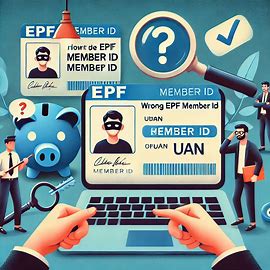
How to De Link Wrong EPF Member ID With UAN Online. The Employees’ Provident Fund Organisation (EPFO) recently introduced a new feature that allows members to delink erroneous Member IDs from their Universal Account Number (UAN). This feature, announced via a circular on January 17, 2025, empowers employees to rectify mistakes in their EPF records easily.

In this guide, we will explain how to de-link a wrong EPF Member ID with UAN through the online portal.

How to De-Link Wrong EPF Member ID With UAN Online

Why Delink a Wrong Member ID?

Errors in EPF records, such as linking an incorrect Member ID, can cause issues in withdrawals, transfers, or updates. Correcting these mistakes ensures proper management of your EPF account and hassle-free access to your funds.

Things to Keep in Mind Before You Start

  • Ensure your Aadhaar-linked mobile number is active for OTP verification.
  • Double-check all the details before initiating the process.
  • If an Electronic Challan-cum-Return (ECR) is filed against the Member ID, delinking will not be possible.

Step-by-Step Process to De-Link EPF Member ID

Step 1: Log in to the EPFO Member Interface

  1. Open the EPFO Member Interface.
  2. Enter your UAN, Password, and Captcha.
  3. Click the Sign In button.

Step 2: OTP Verification

  1. An OTP will be sent to your registered mobile number.
  2. Enter the OTP and complete the captcha.
  3. Click Submit to log in.

Step 3: Navigate to Service History

  1. After logging in, go to the View menu.
  2. Select Service History from the drop-down menu.

Step 4: Locate the Erroneous Member ID

  1. On the Service History page, you’ll see a list of all linked Member IDs.
  2. Identify the wrong Member ID you want to delink.
  3. Click the Delink button next to it.

Step 5: Confirm Delinking

  1. A confirmation prompt will appear.
  2. Click OK to proceed.

Step 6: Specify Employment Status and Give Consent

  1. On the next page, select the reason for delinking the Member ID.
  2. Provide consent by checking the required boxes.
  3. Click Get OTP to proceed.

Step 7: OTP Verification for Delinking

  1. An OTP will be sent to your Aadhaar-linked mobile number.
  2. Enter the OTP and click Submit.
  3. If the OTP doesn’t arrive, use the Resend option to request another.

Step 8: Successful Delinking

  1. Upon successful verification, the wrong Member ID will be delinked from your UAN.
  2. A success message will be displayed.
  3. The Service History page will refresh, and the delinked Member ID will no longer appear.

What Happens in Case of Errors?

  • If an ECR has been filed for the Member ID, delinking will not proceed.
  • An error message will be displayed, and you’ll be redirected to the Service History page.

Benefits of the Delinking Feature

  1. Accurate Records: Ensures your EPF records are accurate and up to date.
  2. Improved Accessibility: Eliminates issues during withdrawals, transfers, or updates.
  3. Simplified Process: The online portal makes the correction process easy and efficient.

Key Takeaways for EPF Members

The new delinking feature by EPFO is a game-changer for employees facing issues due to erroneous Member IDs. It simplifies the correction process and ensures accurate EPF records, providing long-term benefits for account management.

Members must utilize this feature responsibly and ensure their details are correct before delinking. Employers should also ensure accurate data entry during employee registration to avoid future errors.

By taking proactive measures and leveraging EPFO’s advanced features, members can avoid unnecessary complications, save time, and ensure seamless access to their EPF funds during transfers, withdrawals, or retirement planning.

Tips for Avoiding Mistakes in the Future

  • Always double-check Member IDs and employment details during onboarding.
  • Regularly review your EPF account to ensure accuracy.
  • Notify your employer immediately if discrepancies are found.

Also Read – Pinterest What And How To Use ?

The introduction of the delinking feature by EPFO is a significant step in making account management more user-friendly and error-free. By following the steps outlined above, members can now take control of their EPF records with ease.

For further assistance, refer to the detailed user manual provided by EPFO or contact their support helpline.

Share this:

  • Email a link to a friend (Opens in new window) Email
  • Share on Facebook (Opens in new window) Facebook
  • Share on Tumblr (Opens in new window) Tumblr
  • Print (Opens in new window) Print
  • Share on LinkedIn (Opens in new window) LinkedIn
  • Share on Reddit (Opens in new window) Reddit
  • Share on X (Opens in new window) X
  • Share on WhatsApp (Opens in new window) WhatsApp
  • Share on Pinterest (Opens in new window) Pinterest

Like this:

Like Loading…

Related

Social Networks
Tagged Can I merge member ID in EPFO?, How to solve name mismatch problem in EPFO?, How to unlink PF account from uan?, What is delink in EPFO?

Post navigation

⟵ JioCinema Premium Plans with Up to 51% Discount
OnePlus 13R A Power Packed Smartphone with Stunning Features ⟶

Related Posts

WhatsApp Introduces New Icons in Attachment Sheet

WhatsApp Introduces New Icons in Attachment Sheet. WhatsApp, the leading messaging app, continues to evolve with regular updates that keep…

Share this:

  • Email a link to a friend (Opens in new window) Email
  • Share on Facebook (Opens in new window) Facebook
  • Share on Tumblr (Opens in new window) Tumblr
  • Print (Opens in new window) Print
  • Share on LinkedIn (Opens in new window) LinkedIn
  • Share on Reddit (Opens in new window) Reddit
  • Share on X (Opens in new window) X
  • Share on WhatsApp (Opens in new window) WhatsApp
  • Share on Pinterest (Opens in new window) Pinterest

Like this:

Like Loading…
Youtube
Astonishing YouTube Hacks – That can make your life easy

YouTube has had a phenomenal social effect, affecting mainstream society, web drifts, and making multimillionaires big names. In spite of…

Share this:

  • Email a link to a friend (Opens in new window) Email
  • Share on Facebook (Opens in new window) Facebook
  • Share on Tumblr (Opens in new window) Tumblr
  • Print (Opens in new window) Print
  • Share on LinkedIn (Opens in new window) LinkedIn
  • Share on Reddit (Opens in new window) Reddit
  • Share on X (Opens in new window) X
  • Share on WhatsApp (Opens in new window) WhatsApp
  • Share on Pinterest (Opens in new window) Pinterest

Like this:

Like Loading…
Cool facebook tricks, which you should know

At present Face is the most widely used social networking website, Almost every person this world may have an account…

Share this:

  • Email a link to a friend (Opens in new window) Email
  • Share on Facebook (Opens in new window) Facebook
  • Share on Tumblr (Opens in new window) Tumblr
  • Print (Opens in new window) Print
  • Share on LinkedIn (Opens in new window) LinkedIn
  • Share on Reddit (Opens in new window) Reddit
  • Share on X (Opens in new window) X
  • Share on WhatsApp (Opens in new window) WhatsApp
  • Share on Pinterest (Opens in new window) Pinterest

Like this:

Like Loading…

Some Additional Links

  • Home
  • Editorial team information
  • Corrections Policy
  • Ethics Policy
  • Fact checking Policy
  • About us
  • Submit your trick
  • Contact us
  • Terms and Conditions
  • Visitor Post
  • Privacy Policy

Popular Posts

  • 4ef07f4f7482b627b96023d824b4bdd0
    How Notifications Changed Human Attention Forever
  • fae5cb696c32b7960b43e90d57e3d919
    Why Your Computer Gets Slower Over Time
  • mock up background technology product desain branding template 1384939 1350
    Best Bluetooth Speakers Under ₹3,000 Worth Buying in 2026
  • d427f96c71cbb88e4baa20e83b5c2c5a
    What Happens When You Type a Website Address Into Your Browser
  • low battery phone d render 120871 1102
    Why Your Smartphone Battery Doesn’t Last as Long as It Used To
  • 4a140b5c2d311f593b2a86933d2adedf
    Why AI Needs So Much Data to Learn New Things
  • blockchainverified ad campaign impact report 1029473 152671
    Why Do Some Websites Look Trustworthy While Others Feel Suspicious
  • top view scandinavian teenage male lying floor with many electronic devices generative ai aig30 31965 197340
    The Hidden Technology You Use Every Day Without Realizing It
  • destruction smartphone scene 23 2151500062
    Will Smartphones Ever Become Obsolete?
Follow Us
  • Facebook
  • Twitter
  • Instagram
  • YouTube
  • LinkedIn
  • Pinterest
  • Quora
Quick Links
  • Home
  • Editorial team information
  • Corrections Policy
  • Ethics Policy
  • Fact checking Policy
  • About us
  • Submit your trick
  • Contact us
  • Terms and Conditions
  • Visitor Post
  • Privacy Policy
Copyright © 2026 Need Tricks | Extensive News by Ascendoor | Powered by WordPress.
%d