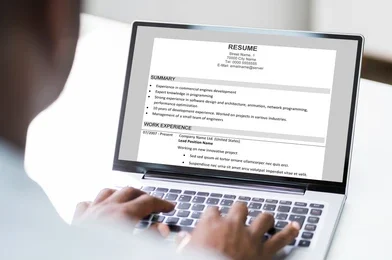
If you’re applying for jobs online, knowing how to create an ATS-friendly resume can significantly improve your chances of getting shortlisted. Many companies use an Applicant Tracking System (ATS) to scan and filter resumes before a recruiter ever sees them. If your resume isn’t ATS-compatible, it may be rejected even if you’re qualified.
In this guide, you’ll learn how to create an ATS-friendly resume, avoid common mistakes, and optimize your resume for both ATS software and human recruiters.
Important: An ATS-friendly resume doesn’t guarantee a job interview, but it increases the chances that your resume will be successfully parsed and reviewed by recruiters.
Table of Contents
- What Is an ATS-Friendly Resume?
- Why Do Companies Use ATS?
- 10 Proven Tips to Create an ATS-Friendly Resume
- Common Resume Mistakes to Avoid
- ATS-Friendly Resume Example
- Frequently Asked Questions
- Final Thoughts
What Is an ATS-Friendly Resume?
An ATS-friendly resume is a resume formatted so that Applicant Tracking Systems (ATS) can easily read and process it. These systems scan resumes for keywords, skills, education, and work experience before passing qualified candidates to recruiters.
Learning how to create an ATS-friendly resume helps ensure your qualifications are accurately recognized by these systems.
Why Do Companies Use ATS?
Recruiters often receive hundreds of applications for a single job opening. ATS software helps them:
- Organize applications
- Search for required skills
- Filter unqualified candidates
- Save time during hiring
This is why using the right resume format and relevant keywords is important.
10 Proven Tips to Create an ATS-Friendly Resume
1. Use a Simple Resume Format
Choose a clean and professional layout.
Avoid:
- Complex tables
- Text boxes
- Multiple columns
- Decorative graphics
- Excessive icons
A simple structure is easier for ATS software to read.
2. Use Standard Section Headings
ATS systems recognize common headings such as:
- Contact Information
- Professional Summary
- Work Experience
- Education
- Skills
- Certifications
- Projects
Avoid creative titles like “My Journey” or “Career Story.”
3. Include Keywords from the Job Description
One of the most important steps in how to create an ATS-friendly resume is using relevant keywords.
For example, if the job description mentions:
- WordPress
- SEO
- JavaScript
- Project Management
Include those skills naturally if they genuinely match your experience.
Don’t stuff keywords unnaturally—accuracy matters.
4. Choose an ATS-Compatible Font
Use easy-to-read fonts such as:
- Arial
- Calibri
- Helvetica
- Georgia
Recommended font size:
- Headings: 14–16 pt
- Body text: 10–12 pt
5. Save Your Resume in the Right Format
Many employers accept:
- DOCX
Always check the job posting to see which format is preferred. Some ATS platforms parse DOCX files more consistently, while others fully support PDFs.
6. Highlight Achievements with Numbers
Instead of writing:
❌ Managed social media.
Write:
✅ Increased Instagram engagement by 35% within six months.
Numbers make your achievements more specific and measurable.
7. Add a Strong Professional Summary
Place a short summary at the top of your resume.
Example:
Results-driven WordPress Developer with 3+ years of experience building responsive websites, improving SEO performance, and optimizing website speed. Skilled in Elementor, WordPress customization, and front-end development.
Keep it concise and relevant to the job you’re applying for.
8. List Relevant Skills
Create a dedicated Skills section.
Example:
- WordPress
- HTML
- CSS
- JavaScript
- PHP
- SEO
- Elementor
- Responsive Design
- Google Analytics
- Git
Choose skills that genuinely reflect your experience and align with the job description.
9. Proofread Before Submitting
Small mistakes can leave a poor impression.
Check for:
- Spelling errors
- Grammar mistakes
- Incorrect dates
- Broken formatting
- Wrong contact information
Ask a friend or use a proofreading tool before sending your resume.
10. Customize Your Resume for Each Job
Avoid sending the exact same resume everywhere.
Instead:
- Update your professional summary.
- Add relevant keywords.
- Highlight matching skills.
- Reorder experience based on the job requirements.
Tailoring your resume can improve your chances of passing ATS screening.
Common Resume Mistakes to Avoid
Avoid these common errors:
❌ Using images or profile photos (unless specifically requested)
❌ Adding tables or text boxes
❌ Using unusual fonts
❌ Keyword stuffing
❌ Including irrelevant work experience
❌ Using generic objective statements
❌ Saving the file with an unclear name like Resume_Final_New2.pdf
Instead, use a professional filename such as:
Hema_Thakur_WordPress_Developer_Resume.pdf
ATS-Friendly Resume Example
| Section | Example |
|---|---|
| Contact Information | Name, Email, Phone, LinkedIn |
| Professional Summary | 3–4 lines highlighting experience |
| Skills | WordPress, SEO, HTML, CSS, JavaScript |
| Work Experience | Company, Role, Dates, Achievements |
| Education | Degree, Institution, Year |
| Certifications | Relevant certifications |
| Projects | Portfolio or key projects |
Tips to Increase Interview Chances
✔ Match your resume to the job description.
✔ Use measurable achievements.
✔ Keep your resume to one or two pages.
✔ Include relevant keywords naturally.
✔ Update your LinkedIn profile to match your resume.
✔ Include a portfolio link if applicable.
Also Read :
- How To Get More Job Opportunities on LinkedIn
- How to Use ChatGPT for Free in 2026: 10 Proven Ways to Get Started Easily
- How to Earn Money Using ChatGPT in 2026
Frequently Asked Questions (FAQs)
What is ATS in recruitment?
An Applicant Tracking System (ATS) is software that helps employers collect, organize, and filter job applications based on qualifications and keywords.
Is a PDF resume ATS-friendly?
Many modern ATS platforms can read PDFs, but some employers specifically request DOCX files. Always follow the instructions in the job posting.
Can I use colors in my resume?
Yes, but keep the design simple. Avoid excessive graphics, icons, and decorative elements that could interfere with ATS parsing.
How many keywords should I include?
Use relevant keywords naturally throughout your resume, especially in your skills, work experience, and professional summary. Focus on quality rather than quantity.
Final Thoughts
Knowing how to create an ATS-friendly resume is an essential skill for today’s job market. A clean layout, relevant keywords, measurable achievements, and a tailored resume can help your application pass ATS screening and reach recruiters.
Remember, your resume should not only satisfy ATS software but also clearly communicate your value to the hiring manager. Take time to customize it for each application and keep it updated with your latest skills and accomplishments.