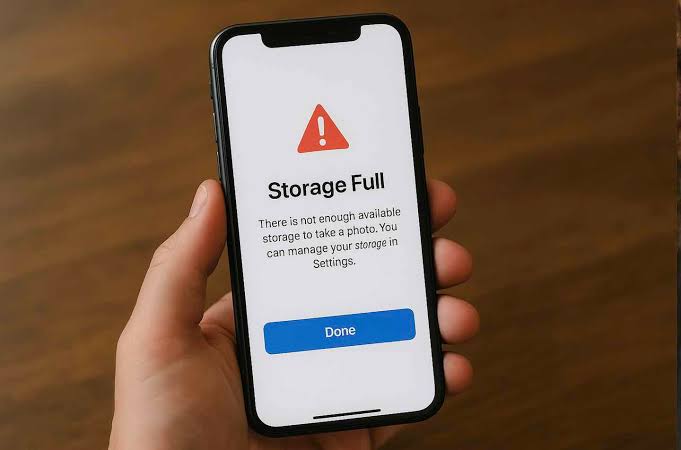
Phone storage fills up over time as we download apps, save photos, record videos, and receive files through messaging apps. When storage becomes full, your device may start slowing down, apps may crash, and updates may fail to install.
Many users immediately start deleting important photos or apps, but there are better ways to free up space without losing valuable data.
In this guide, you’ll learn why phone storage gets full and the safest ways to recover storage space.
Why Does Phone Storage Fill Up?
Several types of data consume storage.
Common storage users include:
- Photos and videos
- Downloaded files
- Apps and games
- App cache
- WhatsApp media
- Screenshots
- System files
Even if you don’t install many apps, media files can quickly occupy available space.
Check What’s Using Storage
Before deleting anything, identify which files are consuming the most space.
Usually, the biggest storage users are:
- Videos
- Photos
- Social media apps
- Messaging app media
Knowing where storage is being used helps you clean up efficiently.
Delete Unnecessary Downloads
The Downloads folder often contains:
- PDFs
- ZIP files
- Images
- Documents
Many of these files are no longer needed and can be removed safely.
Clear App Cache
Apps store temporary files to improve loading speed.
Over time, cache can grow significantly.
Benefits of clearing cache:
✔ More free storage
✔ Better app performance
✔ Fewer app glitches
Popular apps that accumulate large caches include:
- Chrome
- YouTube
Remove Duplicate Photos
Duplicate photos often waste a surprising amount of storage.
Examples include:
- Multiple screenshots
- Similar selfies
- Repeated downloads
Removing duplicates can free up considerable space.
Manage WhatsApp Media
WhatsApp automatically saves:
- Photos
- Videos
- Documents
- Voice notes
Over time, these files can occupy several gigabytes.
Review media folders regularly and delete unnecessary files.
Move Files to Cloud Storage
Cloud services can help reduce device storage usage.
Benefits include:
✔ Access from multiple devices
✔ Secure backups
✔ More free phone storage
Always ensure important files are backed up before deleting local copies.
Uninstall Unused Apps
Many users keep apps they rarely use.
Unused apps consume:
- Storage
- Background resources
- Update bandwidth
Removing unnecessary apps improves both storage and performance.
Delete Old Videos
Videos are among the largest storage consumers.
Examples include:
- Screen recordings
- Downloaded movies
- Event recordings
Removing old videos often frees substantial space quickly.
Restart Your Phone After Cleanup
A restart helps:
- Refresh storage calculations
- Clear temporary files
- Improve overall performance
This simple step can make the device feel faster.
Keep Your Phone Storage Under Control
Helpful habits include:
✔ Delete unnecessary downloads monthly
✔ Review WhatsApp media regularly
✔ Clear cache occasionally
✔ Remove unused apps
✔ Back up important files
Keeping Your Phone Fast and Responsive
A full phone storage warning doesn’t always mean you need to delete important files. By clearing cache, removing duplicate content, organizing media, and managing apps effectively, you can recover significant storage space while keeping valuable data safe.
Regular storage maintenance helps your device remain fast, stable, and ready for future updates.