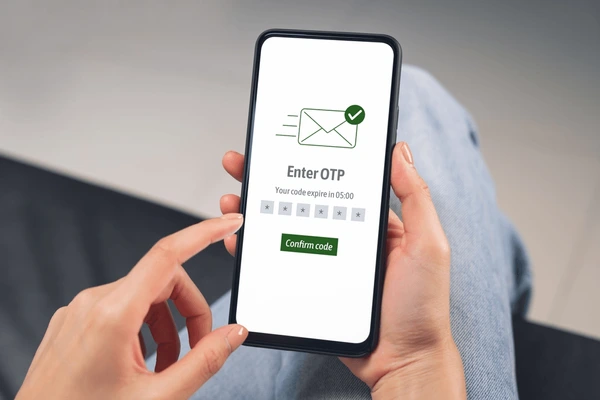
OTP (One-Time Password) verification has become an important part of online security. Whether you’re logging into a bank account, creating a social media profile, verifying a payment, or accessing a government service, OTPs help confirm your identity.
However, many users face situations where the OTP never arrives, causing delays and frustration. The issue can occur on Android phones, iPhones, and even while receiving OTPs through SMS, email, or messaging apps.
The good news is that most OTP delivery problems can be solved with a few simple troubleshooting steps.
Why Is My OTP Not Coming?
Several factors can prevent OTP messages from reaching your device.
Common causes include:
- Weak network signal
- Incorrect mobile number
- DND (Do Not Disturb) settings
- SIM card issues
- Full inbox
- Delayed carrier delivery
- Technical problems from the service provider
Finding the root cause helps solve the issue faster.
Check Your Mobile Number
Before requesting another OTP, verify that the entered mobile number is correct.
Common mistakes include:
- Missing digits
- Incorrect country code
- Typing errors
Even a small mistake can prevent OTP delivery.
Verify Network Coverage
OTP messages require a stable mobile network.
Check:
- Signal strength
- SIM connectivity
- Network availability
Moving to an area with better reception may help.
Restart Your Phone
A restart can refresh:
✔ Mobile network services
✔ SMS functions
✔ SIM card connectivity
Many temporary network issues are resolved after rebooting.
Check Your SMS Inbox
Sometimes OTP messages arrive but remain unnoticed.
Review:
- Inbox
- Spam messages
- Blocked messages
- Archived conversations
The OTP may already be available.
Disable Do Not Disturb (DND)
DND settings can occasionally interfere with message notifications.
Verify:
- Notification settings
- SMS permissions
- Focus modes
Temporarily disabling DND may help.
Ensure the SIM Card Is Active
Inactive or damaged SIM cards may fail to receive messages.
Signs of SIM problems include:
- No network signal
- Frequent disconnections
- Call failures
Testing the SIM in another device can help diagnose the issue.
Avoid Requesting Multiple OTPs Quickly
Many platforms limit OTP requests.
Requesting multiple OTPs within a short period may:
- Delay delivery
- Trigger temporary restrictions
- Cause older OTPs to expire
Wait a few minutes before requesting another code.
Check Mobile Storage
Although SMS messages require minimal storage, an extremely full device may experience communication issues.
Freeing some storage can improve overall performance.
Contact Your Mobile Carrier
If OTPs are not arriving from any service:
Possible causes include:
- SMS delivery issues
- Network restrictions
- Carrier outages
Your service provider can verify whether there is a problem.
Common Services That Use OTP Verification
OTPs are frequently used by:
- Banking apps
- UPI services
- Social media accounts
- Government portals
- E-commerce websites
A delay in receiving OTPs can affect access to many online services.
Tips to Receive OTPs Faster
Helpful practices include:
✔ Maintain strong network coverage
✔ Keep your SIM active
✔ Restart your device occasionally
✔ Avoid repeated OTP requests
✔ Update your phone software
Receiving OTPs Without Delays
Most OTP delivery issues are caused by network problems, incorrect mobile numbers, SIM card issues, or temporary service delays. By checking these common causes, users can usually restore OTP delivery quickly and continue their online activities without interruption.
Maintaining a stable network connection and active mobile service helps ensure reliable OTP verification whenever needed.