Skip to content
needtricks_logo

Need Tricks

Technology Tips and Tricks

  • Home
  • Internet
    • Ad Networks
      • Internet Browser
        • Firefox
        • Opera
        • Safari
      • Internet Explorer
    • Content
      • Chrome
    • Analytics
  • Computer
    • Desktop
    • Laptop
  • General
    • Household
  • Social Networks
    • Facebook
    • Google Plus
    • Twitter
    • Youtube
  • Operating System
    • Apple
    • Android
    • Windows
    • Bada
    • Blackberry
  • Technology
  • Home
  • Social Networks
  • Learn How to Post Instagram Stories Without Opening Instagram App

Learn How to Post Instagram Stories Without Opening Instagram App

Need Tricks

Step by Step Guide to Post Instagram Stories Without Opening Instagram App
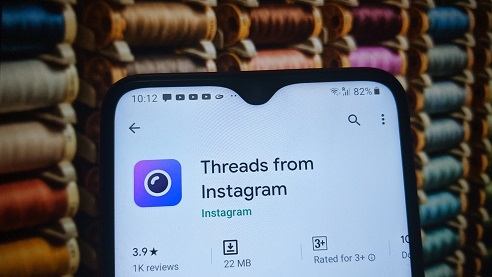
instagram threads

Did you know that Instagram users can select an image or video from their gallery and post them in stories without opening the app. Well, this trick will help you to learn how to post Instagram stories without opening Instragram App

As we know Instagram Stories are among the most popular ways to post photos, videos and other contact on the social media platform. And if looking to directly share or post to your stories the video or photo you have just clicked without completing the formalities like opening the app. Here is the solution for you. For this you will need an app called THREAD by Instagram. Then follow the following guide.

About Instagram:

Instagram (commonly abbreviated to IG or Insta) is an American photo and video sharing social networking service owned by Facebook, created by Kevin Systrom and Mike Krieger and originally launched on iOS in October 2010. The Android version was released in April 2012, followed by a feature-limited desktop interface in November 2012, a Fire OS app in June 2014, and an app for Windows 10 in October 2016. The app allows users to upload media that can be edited with filters and organized by hashtags and geographical tagging.

About Thread:

Thread is launched by Facebook from Instagram, and it is a new camera-first messaging app that helps you stay connected to your close friends. Threads is a standalone app designed with privacy, speed, and your close connections in mind. You can share photos, videos, messages, Stories, and more with your Instagram close friends list. You are in control of who can reach you on Threads, and you can customize the experience around the people who matter most.

Steps by step procedure to Post Instagram Stories Without Opening Instagram App

Step 1:
The first step is to download and install Threads by Instagram app. You can get it easily from the playstore.

Step 2:
After installing it you will need to login using Instagram account and setup your profile by allowing the permissions to the app and the account.

Step 3:
The next is to add people in the list or your favorite list with whom you want to chat or share stories, with this installation work is done.

Step 4:
Next step involves are for sharing the stories, on the home-screen of the app, choose the second tap then click a picture, edit it, you can also add caption of your choice and then tap on the upward arrow when you are finally done with the beatification of the picture.

Step 5:
From the contact list, choose your story Option. You can also select specific contacts if you want to share with specific people.

Share this:

  • Email a link to a friend (Opens in new window) Email
  • Share on Facebook (Opens in new window) Facebook
  • Share on Tumblr (Opens in new window) Tumblr
  • Print (Opens in new window) Print
  • Share on LinkedIn (Opens in new window) LinkedIn
  • Share on Reddit (Opens in new window) Reddit
  • Share on X (Opens in new window) X
  • Share on WhatsApp (Opens in new window) WhatsApp
  • Share on Pinterest (Opens in new window) Pinterest

Like this:

Like Loading…

Related

InstagramSocial Networks
Tagged instagram captions, instagram stories, instagram stories download, instagram stories format, instagram stories without account, instagram story viewer, instagram threads app

Post navigation

⟵ Top 8 Free & Paid Plagiarism Checkers
Step By Step Guide to Do an Advanced Search on Google ⟶

Related Posts

Instagram Reel analytics showing low reach and engagement
Instagram Reels Not Getting Views? 10 Reasons Why

You’ve spent time creating a Reel, added trending music, used hashtags, and posted at the right time—yet the views barely…

Share this:

  • Email a link to a friend (Opens in new window) Email
  • Share on Facebook (Opens in new window) Facebook
  • Share on Tumblr (Opens in new window) Tumblr
  • Print (Opens in new window) Print
  • Share on LinkedIn (Opens in new window) LinkedIn
  • Share on Reddit (Opens in new window) Reddit
  • Share on X (Opens in new window) X
  • Share on WhatsApp (Opens in new window) WhatsApp
  • Share on Pinterest (Opens in new window) Pinterest

Like this:

Like Loading…
How to Get Monetized on Instagram
A Comprehensive Guide on How to Get Monetized on Instagram

Instagram has evolved beyond being just a platform for sharing photos and videos with friends. It has emerged as a…

Share this:

  • Email a link to a friend (Opens in new window) Email
  • Share on Facebook (Opens in new window) Facebook
  • Share on Tumblr (Opens in new window) Tumblr
  • Print (Opens in new window) Print
  • Share on LinkedIn (Opens in new window) LinkedIn
  • Share on Reddit (Opens in new window) Reddit
  • Share on X (Opens in new window) X
  • Share on WhatsApp (Opens in new window) WhatsApp
  • Share on Pinterest (Opens in new window) Pinterest

Like this:

Like Loading…
Save Instagram Photos
How To Save Instagram Photos

Instagram has a downloader tool that allows you to Save Instagram Photos and all your data – photos during a…

Share this:

  • Email a link to a friend (Opens in new window) Email
  • Share on Facebook (Opens in new window) Facebook
  • Share on Tumblr (Opens in new window) Tumblr
  • Print (Opens in new window) Print
  • Share on LinkedIn (Opens in new window) LinkedIn
  • Share on Reddit (Opens in new window) Reddit
  • Share on X (Opens in new window) X
  • Share on WhatsApp (Opens in new window) WhatsApp
  • Share on Pinterest (Opens in new window) Pinterest

Like this:

Like Loading…

Some Additional Links

  • Home
  • Editorial team information
  • Corrections Policy
  • Ethics Policy
  • Fact checking Policy
  • About us
  • Submit your trick
  • Contact us
  • Terms and Conditions
  • Visitor Post
  • Privacy Policy

Popular Posts

  • Browser displaying Not Secure warning beside website URL
    Website Showing ‘Not Secure’? Here’s What It Means and How to Fix It
  • Windows laptop showing low battery warning and battery percentage drop
    Laptop Battery Draining Fast? Here’s How to Improve Battery Life
  • Google Search Console displaying website indexing status
    Why Is My Website Not Getting Indexed on Google?
  • Google Play Store displaying pending app download issue
    Google Play Store Not Downloading Apps? Complete Fix Guide
  • Google Chrome browser consuming excessive RAM in Windows Task Manager
    Google Chrome Using Too Much RAM? Here’s How to Reduce Memory Usage
  • Google Discover analytics dashboard showing reduced traffic and impressions
    Why Are My Google Discover Posts Not Getting Traffic
  • Telegram login screen showing verification code problem
    Telegram Login Problem? Step-by-Step Troubleshooting Guide
  • laptop fan noise, noisy laptop fan, laptop overheating, fan issue fix, cooling system problem
    Laptop Fan Making Loud Noise? Here’s What It Means
  • Updating
    Why Is My Phone Restarting Automatically
Follow Us
  • Facebook
  • Twitter
  • Instagram
  • YouTube
  • LinkedIn
  • Pinterest
  • Quora
Quick Links
  • Home
  • Editorial team information
  • Corrections Policy
  • Ethics Policy
  • Fact checking Policy
  • About us
  • Submit your trick
  • Contact us
  • Terms and Conditions
  • Visitor Post
  • Privacy Policy
Copyright © 2026 Need Tricks | Extensive News by Ascendoor | Powered by WordPress.

Loading Comments...

    %d