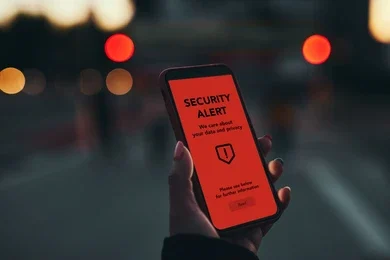
If you’ve ever wondered how to know if someone is tracking your phone, you’re not alone. Many people become concerned when they notice unusual battery drain, unexpected pop-ups, or unfamiliar apps on their device. While these issues don’t always mean your phone is being tracked, they can sometimes indicate unauthorized access or privacy risks.
In this guide, you’ll learn how to know if someone is tracking your phone, the common warning signs to watch for, and practical steps you can take to improve your phone’s security.
Important: A single symptom does not prove that someone is tracking your phone. Many issues can also be caused by software bugs, outdated apps, or normal device behavior. Use the tips below to assess your device carefully.
Table of Contents
- What Does Phone Tracking Mean?
- Common Signs Someone May Be Tracking Your Phone
- Check Installed Apps
- Review Location Permissions
- Monitor Battery Usage
- Look for Unusual Data Usage
- Check Your Google or Apple Account
- Update Your Phone
- Run a Security Scan
- What to Do If You Suspect Tracking
- Frequently Asked Questions
- Protect Your Privacy Every Day
What Does How to Know If Someone Is Tracking Your Phone Mean?
When people search how to know if someone is tracking your phone, they usually want to know whether an app, person, or malicious software is collecting their location or activity without permission.
Phone tracking can happen in legitimate ways—such as family safety apps that you knowingly installed—or through unauthorized apps if your device has been compromised.
Common Signs Someone May Be Tracking Your Phone
Some signs that deserve attention include:
- Battery draining unusually fast
- High mobile data usage
- Phone becoming unusually hot while idle
- Unknown apps installed
- Frequent location icon appearing
- Strange permission requests
- Unexpected login alerts
- Security warnings from your phone
These signs do not automatically mean your phone is being tracked, but they are worth investigating.
1. Check Installed Apps
One of the first steps in learning how to know if someone is tracking your phone is reviewing your installed applications.
Go to:
Settings → Apps
Look for:
- Apps you don’t remember installing
- Apps with generic names
- Unknown security or monitoring apps
If you find an unfamiliar app, research it before uninstalling it. Some system apps are essential for Android to function.
2. Review Location Permissions
Many apps request location access even when they don’t need it.
Go to:
Settings → Privacy → Permission Manager → Location
Check:
- Which apps have Always Allow access
- Which apps can access your location in the background
- Whether any unknown app has location permission
Remove location access from apps that don’t require it.
3. Monitor Battery Usage
If your phone’s battery suddenly drains much faster than usual, background apps may be consuming power.
Check:
Settings → Battery → Battery Usage
Look for apps using excessive battery while you aren’t actively using them.
Remember that games, navigation apps, and video streaming apps also use significant battery, so compare your usage with your normal habits.
4. Look for Unusual Mobile Data Usage
Unexpected increases in mobile data usage may indicate that an app is constantly communicating over the internet.
Go to:
Settings → Network & Internet → Data Usage
Review:
- Daily data consumption
- Background data usage
- Apps using unusually high amounts of data
Large increases may simply be due to cloud backups or app updates, but they are worth checking.
5. Review Your Google or Apple Account Activity
Your phone account provides information about recent logins.
For Android users:
- Check your Google account’s recent security activity.
- Review connected devices.
- Remove devices you don’t recognize.
Unexpected login alerts may indicate someone has accessed your account.
Related: Read our guide on Google Account Suspended? How to Recover It to learn more about account security.
6. Keep Your Phone Updated
Security updates protect your device against known vulnerabilities.
Go to:
Settings → Software Update
Install:
- Android updates
- Security patches
- App updates
Keeping your device updated is one of the easiest ways to reduce security risks.
7. Run a Security Scan
Many Android phones include built-in security scanning features.
You can also use a trusted mobile security application to check for:
- Malware
- Harmful apps
- Suspicious permissions
Avoid downloading unknown “phone tracker detector” apps from unofficial websites.
8. Enable Two-Factor Authentication (2FA)
Even if someone knows your password, Two-Factor Authentication adds another layer of protection.
Enable 2FA for:
- Google Account
- Email accounts
- Social media
- Banking apps
This significantly reduces the risk of unauthorized access.
9. Restart Your Phone Regularly
A simple restart helps:
- End unnecessary background processes
- Install pending updates
- Improve overall performance
Although restarting won’t remove malware, it can resolve many temporary software issues that may resemble suspicious behavior.
10. What to Do If You Suspect Someone Is Tracking Your Phone
If you genuinely believe your phone has been compromised:
- Change important passwords.
- Enable Two-Factor Authentication.
- Remove suspicious apps.
- Review app permissions.
- Update your operating system.
- Back up important data.
- If necessary, perform a factory reset after backing up your files.
If you suspect criminal activity or unauthorized surveillance, contact the appropriate authorities or your mobile service provider.
Tips to Keep Your Phone Secure
Follow these best practices:
✔ Download apps only from trusted app stores.
✔ Review app permissions regularly.
✔ Keep Android updated.
✔ Use strong passwords.
✔ Enable screen lock.
✔ Avoid clicking suspicious links.
✔ Don’t install unknown APK files.
✔ Keep Bluetooth and Wi-Fi off when not needed.
Also Read:
- How Fake Apps Reach Phones (And Why Many Users Install Them Without Realising)
- How to Find Hidden Cameras in Hotel Rooms: 10 Proven Ways to Stay Safe
- Why Public WiFi Can Be Risky (And What Most People Ignore)
Frequently Asked Questions (FAQs)
Can someone track my phone without installing an app?
In many cases, unauthorized tracking requires some form of access or permission. Legitimate services like Find My Device or family location-sharing apps work only when properly authorized.
Does fast battery drain mean my phone is being tracked?
Not necessarily. Battery drain can also result from outdated apps, high screen brightness, gaming, GPS usage, or aging batteries.
Can a factory reset stop phone tracking?
A factory reset removes most apps and settings, which may resolve many software-related issues. Always back up your important data before resetting your device.
How often should I review app permissions?
It’s a good idea to check app permissions every few months or whenever you install a new app.
Protect Your Privacy and Stay Alert
Understanding how to know if someone is tracking your phone helps you make informed decisions about your privacy and device security. Most unusual phone behavior has harmless explanations, but regularly reviewing app permissions, keeping your phone updated, and using strong account security can greatly reduce your risk.
Staying informed and practicing good digital hygiene is the best way to protect your personal information.